.svg)
Dispatch console
Ride dispatch software with automatic matching
Automatic dispatch handles the everyday requests. Your dispatchers handle the exceptions, with every driver, trip, and delay on one screen.
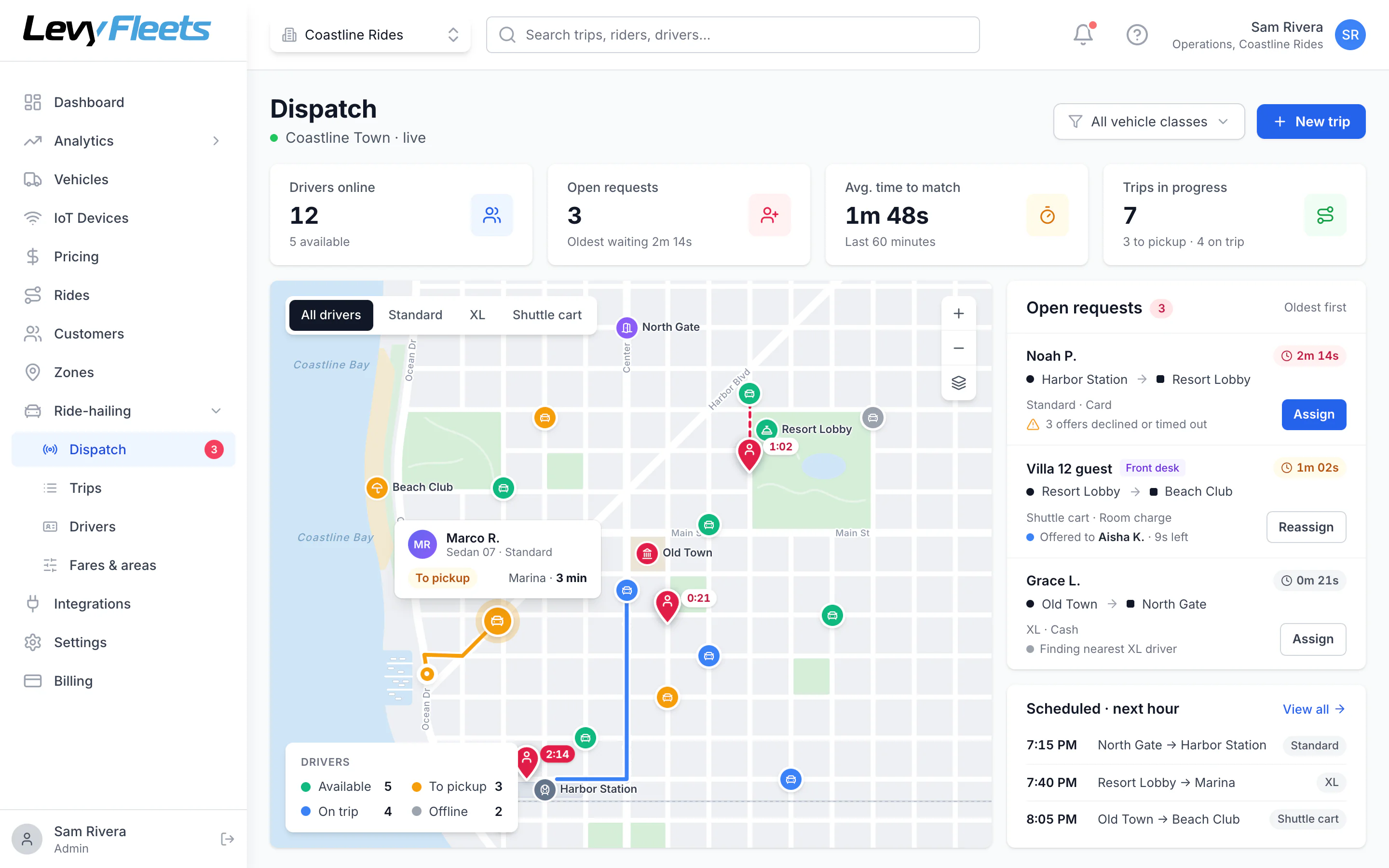
Dispatch console
Every driver and trip on one map
Drivers are color-coded by status, open requests queue by age, and dispatchers can assign or reassign any trip by hand.
Who it’s for
Built for teams that move people.
- Taxi and private-hire operators
- Shuttle services
- Campus and community transportation
- Ride-hailing startups
The problem
What gets in the way today.
The closest driver isn’t obvious
Without live positions and pickup times, dispatchers guess.
Declines and no-answers stall trips
Each missed offer costs minutes while the rider waits.
Nobody knows what happened
When a rider complains, there’s no record of who was offered the trip and when.
How it works
What happens, step by step.
Request comes in
From the app, your website, or a dispatcher taking a phone call.
Nearest driver is offered
The available driver with the shortest pickup time gets a timed offer.
Next driver if needed
A decline or timeout moves the offer to the next driver automatically.
Dispatchers step in
Assign, reassign, or cancel any trip from the console.
Features
What you get with Levy.
Dispatch
Automatic dispatch, with a human override
Nearest-driver matching
Requests go to the available driver with the shortest pickup time in the right vehicle class.
One offer at a time
If a driver declines or doesn’t respond in time, the trip goes to the next best driver automatically.
Never double-booked
A trip can only be accepted by one driver, even if two tap at the same moment.
Manual assign and reassign
Dispatchers can send any trip to a specific driver, move it, or cancel it from the console.
Phone and front-desk bookings
Staff can create a trip for a caller or a guest at the desk.
Driver cancellations recover themselves
If a driver cancels, the trip goes back to the front of the queue.
Operations
Run the service from one dashboard
Service areas and places
Draw service areas, fare zones, and pickup points on the map.
Vehicle classes
Offer different vehicle types, such as a 4-seat cart, a 6-seat cart, a sedan, or an XL.
Driver management
Onboarding review, document checks, approvals, suspensions, and vehicle assignment.
Trip timeline
Every offer, acceptance, arrival, and fare change on a timestamped timeline.
Reports
Trips, completion rate, time to match, pickup accuracy, cancellations, revenue by payment type, and driver earnings.
Works with the rest of Levy
The same dashboard runs your rentals, car sharing, and IoT-connected vehicles.
Screens
A closer look.
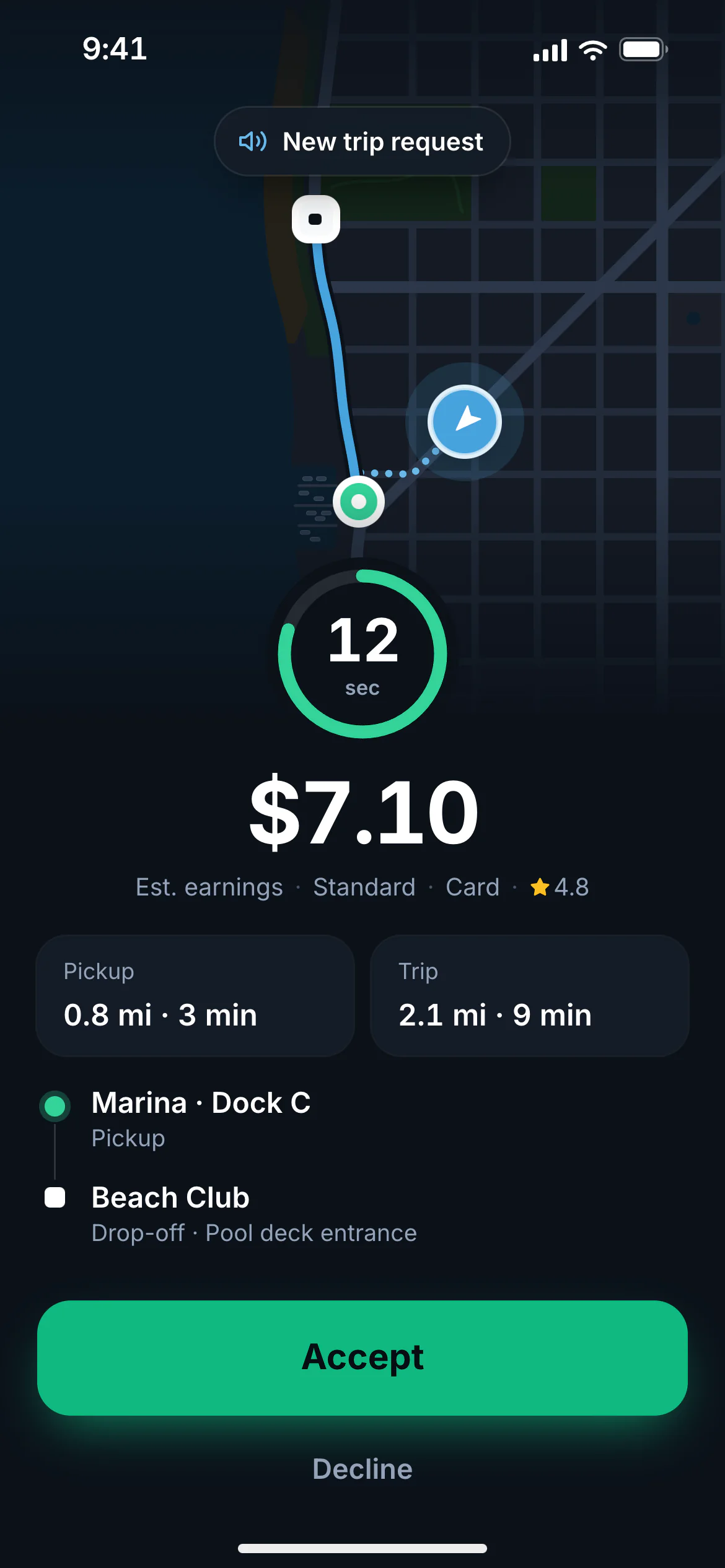
Trip offer
Offers with a countdown
Each offer shows pickup distance, pickup and drop-off, and earnings. If the driver doesn’t accept in time, it moves to the next nearest driver.
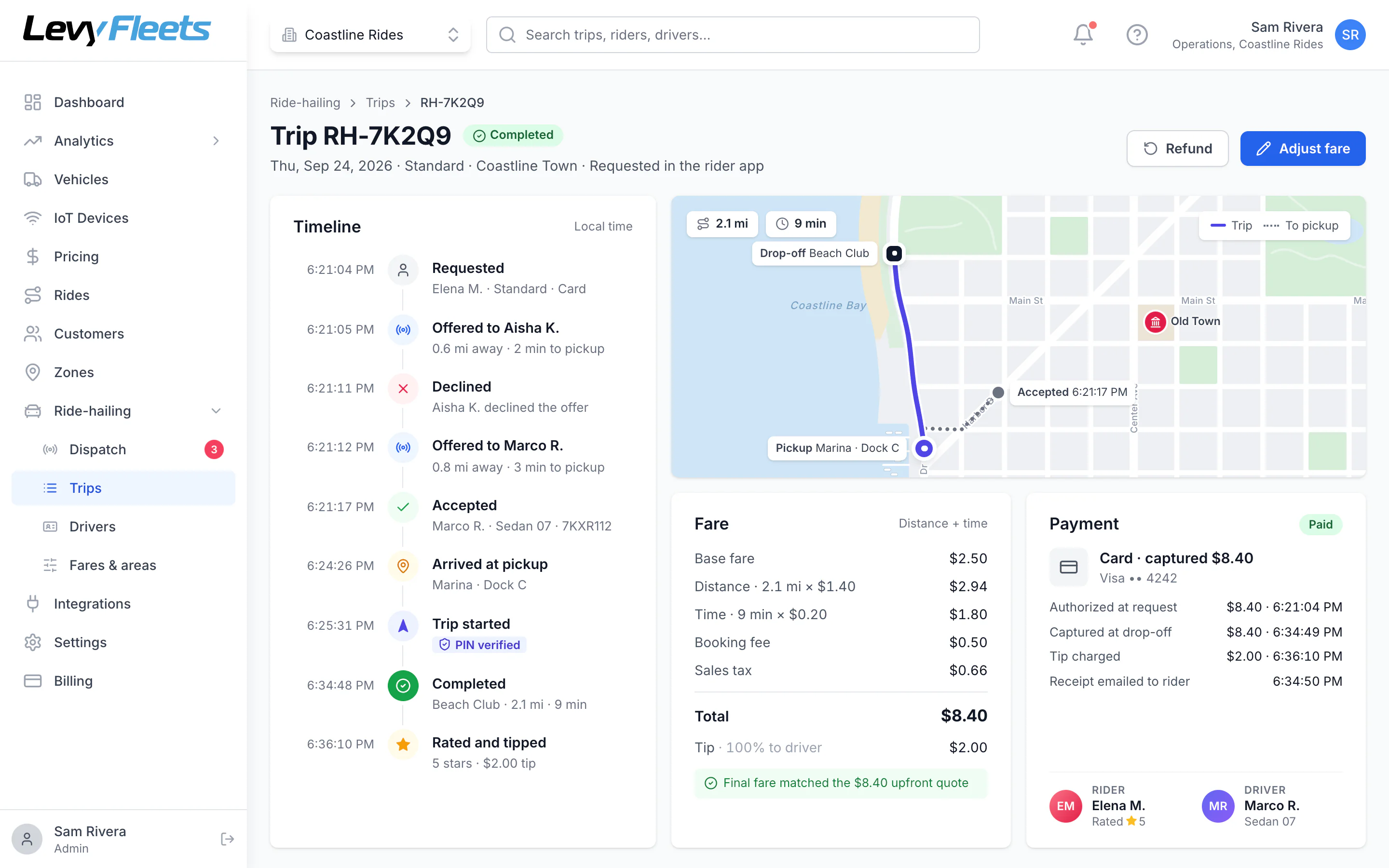
Trip timeline
The full story of every trip
Who was offered the trip, who accepted, arrival, pickup, and drop-off, all timestamped, with the route and fare breakdown.
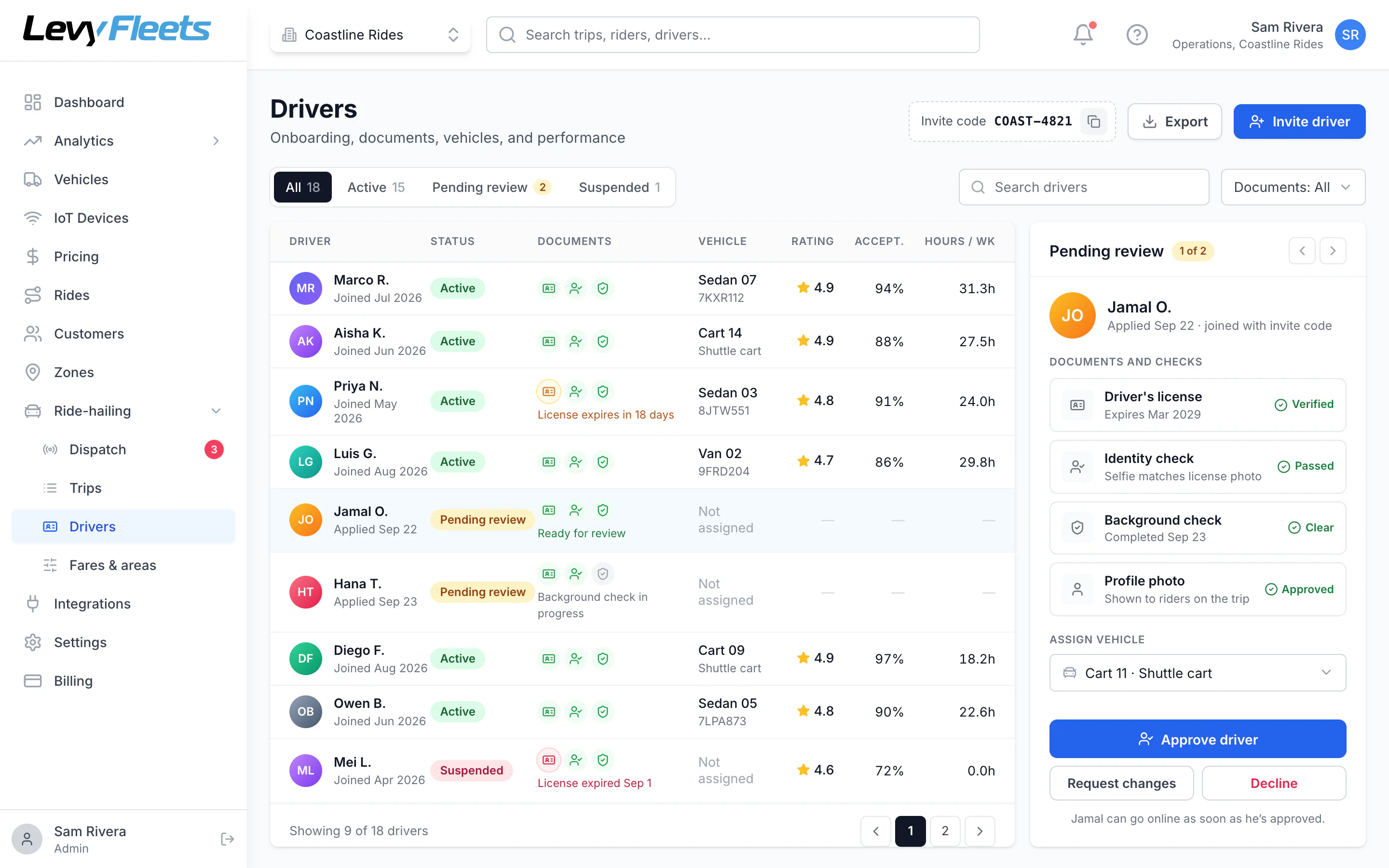
Drivers
Onboard and manage drivers
Review documents and identity checks, approve or suspend drivers, assign vehicles, and track hours, acceptance, and ratings.
Dispatch software FAQ
Common questions.
Can dispatchers override automatic dispatch?
Yes. Any trip can be assigned to a specific driver, moved, or cancelled.
Can two drivers accept the same trip?
No. Only one driver can accept a trip, even if two tap at the same moment.
What happens if nobody accepts?
The rider is told no drivers are available and their card hold is released.
Keep exploring
More on Levy ride-hailing.
- Taxi companies
Taxi dispatch software
Move your taxi company from radio dispatch to automatic dispatch. A branded booking app, a driver app, metered or upfront fares, cash and card payments, and a dispatch console.
Learn more - Levy Driver
Driver app
The Levy Driver app lets your drivers go online, accept trip offers, navigate with Google Maps, Waze, or Apple Maps, and track earnings. Built for employed and contractor drivers.
Learn more - On-demand shuttles
Resort and community shuttles
Let guests and residents request a golf cart or shuttle from their phone. Named pickup points, flat or free fares, room charges, and a dispatch console for your team.
Learn more - Ride-hailing by Levy
Platform overview
Everything a ride-hailing service runs on, under your brand.
See the full platform
See how it would work for your service.
Tell us about your service, your drivers, and your vehicles, and we’ll walk you through the rider app, driver app, and dispatch console.
Launch ride-hailing with Levy
Tell us about your service, your drivers, and your vehicles. We'll walk you through the rider app, driver app, and dispatch console.