Diagnosing NB-Y IoT via Serial Log
When an NB-Y (Queclink) IoT module is unresponsive and wireless diagnostics are not possible, you can use a USB-to-serial cable and the SSCOM tool on a Windows PC to read the IoT's boot log and diagnose the issue.
Prerequisites
- A USB to serial (USB to TTL) cable - see USB to TTL Cable guide
- A Windows PC with SSCOM installed (contact Segway to obtain)
- Access to the IoT module's serial port (requires partial disassembly)
Steps
Step 1: Connect the USB to serial cable to your PC. Do NOT connect it to the IoT yet.
Step 2: Power on the scooter by plugging in the charger. Keep the charger connected to maintain power.
Step 3: Open SSCOM on your PC. Select the correct COM port and click Open Port.
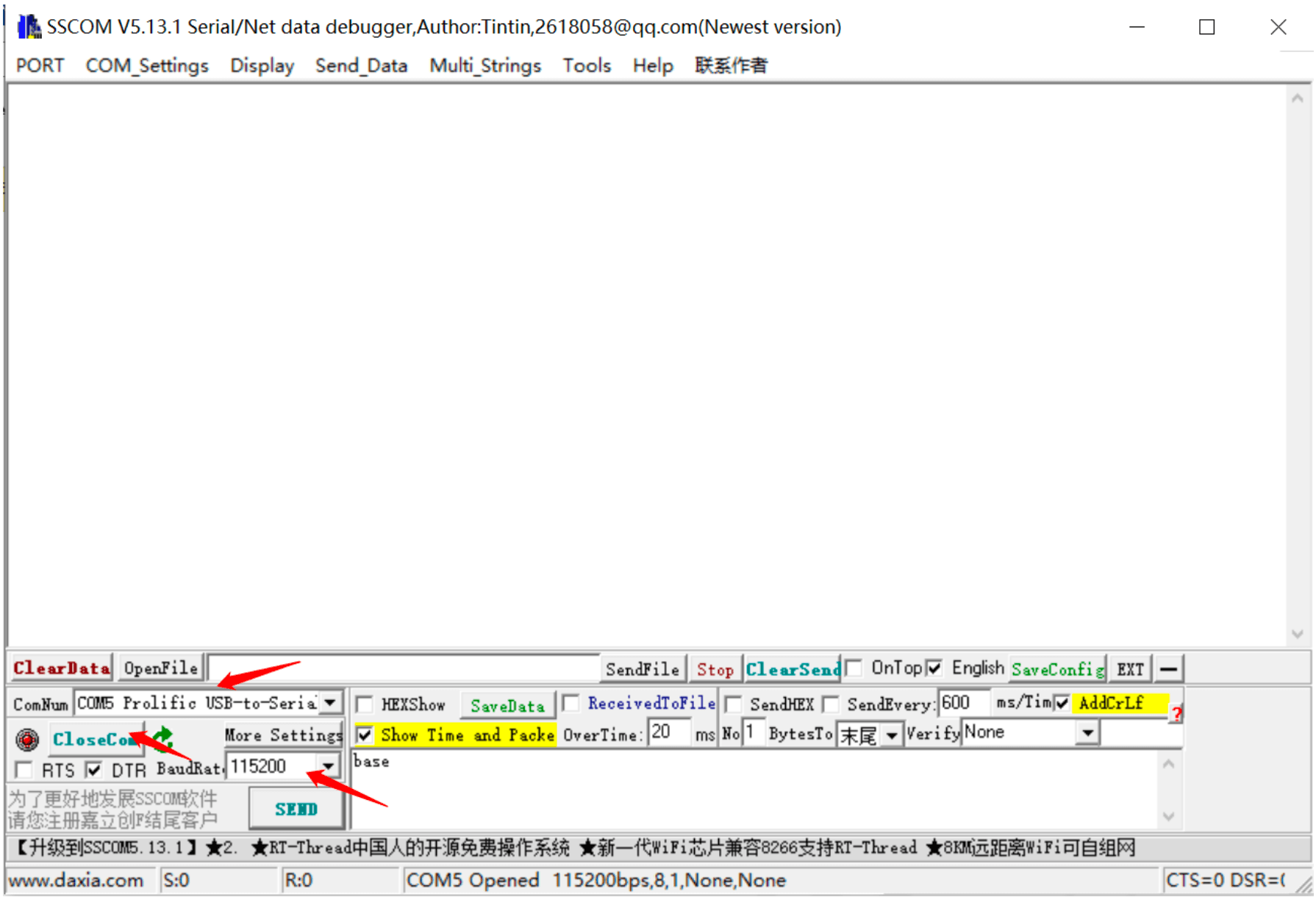
Step 4: Connect the serial cable to the IoT module (3-pin connector). Then connect the IoT to the scooter's 5-pin connector.
Connect the USB cable to the IoT FIRST, then connect the IoT to the scooter. This ensures you capture the boot sequence.
Step 5: Watch the SSCOM terminal for log output.
Expected Output: Normal Startup
A healthy IoT shows a boot sequence similar to:
[BOOT] Firmware v1.x.x starting...
[NET] SIM card detected: ICCID=89...
[NET] Registering on network...
[NET] Connected to APN: xxx
[SRV] Connecting to server: xxx.xxx.xxx.xxx
[SRV] Connected successfully
Case 1: Normal Boot Sequence
If you see the normal boot sequence and the IoT connects successfully, the issue may be intermittent. Monitor for a few minutes to see if the connection drops.
Case 2: No SIM Detected
If the log shows SIM card not found or similar, see the SIM Card Not Detected guide.
Case 3: Network Registration Failure
If the IoT detects the SIM but cannot register on the network, the APN may be incorrect. See ZK600 Master Guide to update APN settings.
Case 4: No Log Output at All
If SSCOM shows nothing after connecting:
- Verify the cable connections (TX/RX may be swapped)
- Try swapping the TX and RX wires
- Check that the scooter is actually powered on
- The IoT module may have a hardware failure
Case 5: Server Connection Failure
If the IoT registers on the network but cannot reach the server, the IP address may be incorrect. Update it using the ZK600 app.
Saving Logs
In SSCOM, click SaveLog to save the output to a text file. Share this with Segway support for remote diagnosis.
Running a fleet on this hardware?
Levy Fleets runs scooters, e-bikes, mopeds and golf carts on the IoT hardware you already have, with integration pages for 29 vendors including Segway, Okai, Omni, Queclink, Invers and Comodule. Keyless unlock, geofencing, rider payments and rider support are included, and the Managed plan is a share of revenue with no per-vehicle software fee.