How to Fix Error E0 - ECU Communication Abnormal
Error E0 means the IoT module is unable to communicate with the ECU (Electronic Control Unit / controller). This is typically caused by a connection issue between the IoT and controller, a firmware mismatch, or a power sequencing problem.
Steps to Resolve Error E0
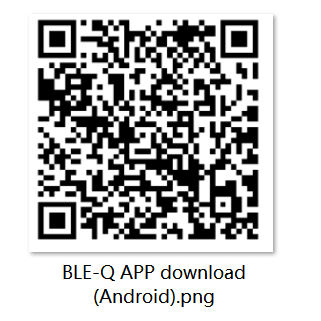
Step 0.0 - Enter Transport Mode: Use the BLE-Q app to put the scooter into Transport Mode first.
Step 0.1 - Charge the scooter: Plug in the charger. Charging the scooter will exit Transport Mode and re-initialize the controller communication.
Step 1.1 - Open the battery cover: Access the battery compartment.
Step 1.2 - Disconnect battery from controller: Unplug the connection cable between the battery and controller.
Step 1.3 - Insert charger into controller: Plug the charger cable into the controller's charging port.
Step 1.4 - Reconnect battery to controller: Plug the battery-controller cable back in while the charger is connected.
Step 1.5 - Confirm charging status: Check the display - it should show the charging indicator. This confirms the controller is receiving power correctly.
Step 1.6 - Remove charger: Unplug the charger.
Step 2 - Power on and test: Power on the scooter normally and check if Error E0 is gone.
If E0 Persists
If the error continues after following these steps:
- Check the firmware version of the controller and IoT - they may need to be updated
- Inspect the wiring connector between the IoT and controller for damage or corrosion
- Try resetting the scooter (see How to Reboot or Reset a Scooter)
- Contact Segway support with the scooter SN, IoT type, and current firmware versions
Related Guides
Running a fleet on this hardware?
Levy Fleets runs scooters, e-bikes, mopeds and golf carts on the IoT hardware you already have, with integration pages for 29 vendors including Segway, Okai, Omni, Queclink, Invers and Comodule. Keyless unlock, geofencing, rider payments and rider support are included, and the Managed plan is a share of revenue with no per-vehicle software fee.