OKAI IoT Initial Activation
Before your OKAI scooters can connect to Levy Fleets, you need to complete an initial IoT activation on each vehicle. This is a quick, one-time process that only requires a pin tool and a charged scooter.
What You'll Need
- A fully charged OKAI scooter
- A pin tool (a SIM ejector pin or small paperclip works)
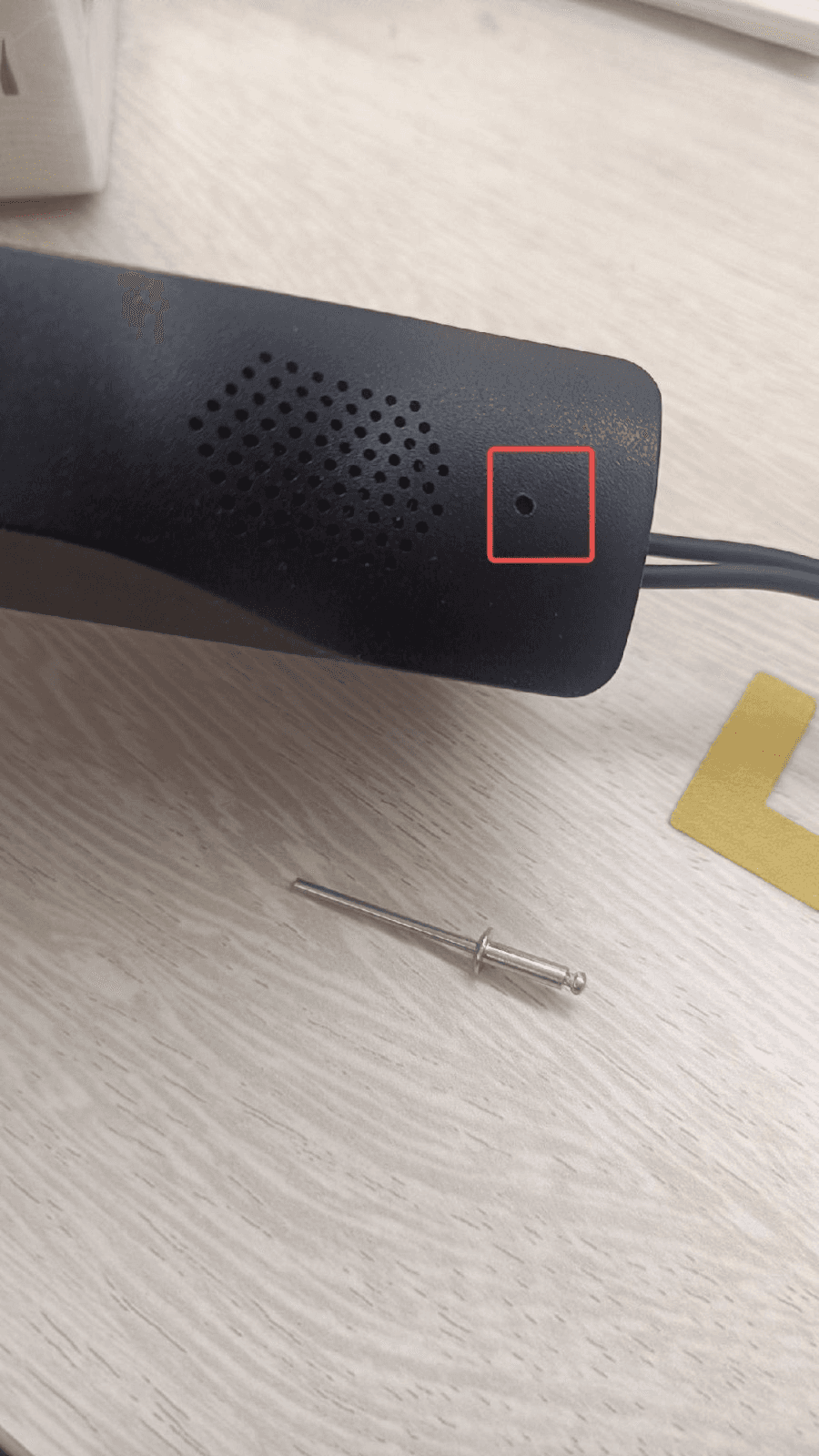
Activation Steps
-
Charge the scooter fully before starting. The IoT module needs sufficient power to complete activation.
-
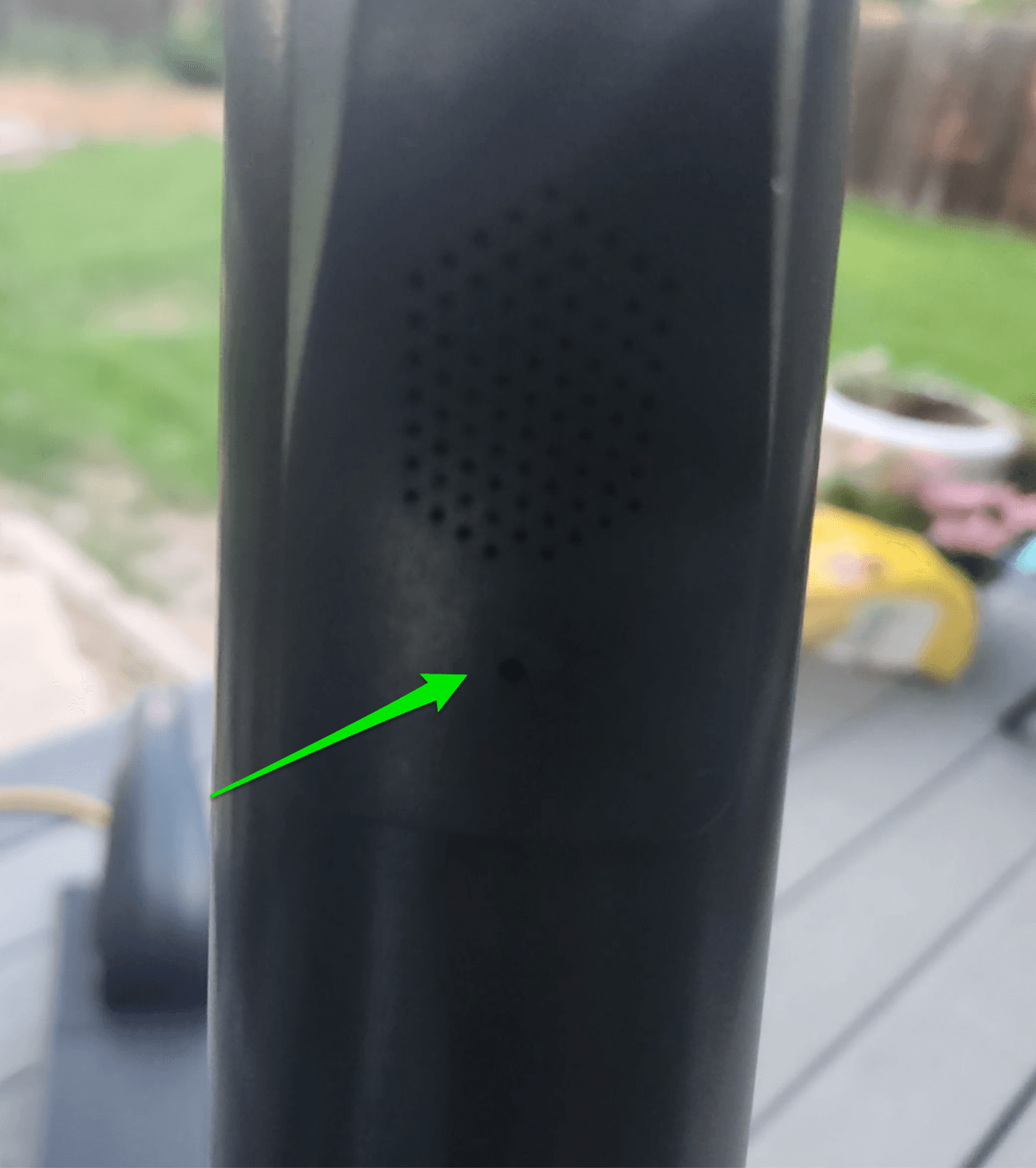
Locate the pin hole on the scooter's stem, just below the speaker grille.
-
Insert the pin into the hole and hold it down for 5 seconds until you hear a confirmation sound from the vehicle.
-
Once you hear the sound, the IoT module is activated and will begin connecting to the server.
That's it!
After activation, the device will start reporting to Levy Fleets automatically. It may take a few minutes for the vehicle to appear online in your dashboard.
Check the IoT lights
If the vehicle does not come online, check the red/white LED pattern against OKAI IoT Status Lights.
Troubleshooting
| Issue | Solution |
|---|---|
| No sound after pressing pin | Make sure the scooter is charged and powered on. Try holding the pin for a full 5 seconds. |
| Vehicle not appearing in dashboard | Wait 2-5 minutes after activation. Check that the vehicle's IMEI is registered in Levy Fleets. |
| Pin doesn't fit | Use a SIM ejector tool or straightened paperclip. Do not use anything too thick that could damage the hole. |
Running a fleet on this hardware?
Levy Fleets runs scooters, e-bikes, mopeds and golf carts on the IoT hardware you already have, with integration pages for 29 vendors including Segway, Okai, Omni, Queclink, Invers and Comodule. Keyless unlock, geofencing, rider payments and rider support are included, and the Managed plan is a share of revenue with no per-vehicle software fee.