.svg)
Support is the tax you pay on every ride you sell. Get it wrong and it scales linearly with the fleet: twice the vehicles, twice the tickets, twice the payroll, and a queue that never clears. Get it right and it scales far slower than the fleet, because most contacts get deflected before a human sees them and the few that reach a person get resolved fast. On Levy Fleets you pick between two support economics from day one. On the Managed plan (20% of GMV under 100 active vehicles, 15% at 100 to 249 active vehicles on annual or approved terms) Levy runs 24/7 support, payments, disputes, and collections for you, so the queue is our headcount, not yours. On Software-Only ($14 per vehicle per month at 100 to 249 active vehicles) you run the queue in-house, with Zendesk for ticketing and Twilio for SMS included. This lesson shows you how to build support that scales either way: a three-tier model that deflects most contacts, tight playbooks for the three tickets that dominate every micromobility queue, and the SLA targets and staffing ratios that keep it profitable.
Operator education, not professional advice
This lesson is educational only. It is not tax, legal, accounting, or financial advice. The support cost figures, SLA targets, and staffing ratios here are planning heuristics that vary by market, season, ridership, and how hard you run your fleet, not platform guarantees or quotes. The refund and dispute guidance describes how to keep the platform's accounting clean, not how to file your taxes or set your revenue recognition. Model your own numbers in the Fleet Estimator, and confirm anything tax or accounting specific with a qualified professional.
Support cost is a decision, not a given
Before you write a single macro, decide who owns the queue. That one choice sets your entire support cost curve.
On the Managed plan, Levy runs the support desk 24/7 as part of the revenue share. Your headcount for rider contacts is effectively zero, and the cost lives inside the 20% (or 15% at scale) you already pay on GMV. A rider texting at 2 a.m. about a stuck lock is our problem, not a pager on your nightstand.
On Software-Only, you own the queue. That is the right call when you have in-house operations and want full control of the rider voice, and the plan hands you the tooling: Zendesk, Twilio, the rider apps, and the operator dashboard where most self-serve deflection happens. Your job is to keep cost-per-ticket low enough that in-house support beats the Managed share for your volume.
Either way, the $250 per month platform minimum applies, credited against fees. The math is not "free versus paid," it is "who staffs the queue, and at what cost per contact."
The unit that matters is cost per ride, not cost per ticket
A cheap ticket is not the goal. A low contact rate is. Track contacts per 100 rides as your north-star support metric, and drive it down with deflection before you ever optimize agent speed.
Build a three-tier support model
Every support operation that scales looks like a pyramid. The wide base deflects volume automatically, the middle handles routine contacts with automation, and the narrow top reserves your most expensive humans for the cases that genuinely need judgment. Build all three tiers on purpose.
Tier 1: self-serve deflection
The cheapest ticket is the one that never opens. Most rider questions are self-service by nature ("how do I end my ride," "where can I park," "why was I charged"), and the answer already lives in the app or the help center.
- Let the rider apps do the work. Levy's white-label rider apps expose the actions riders contact you about: unlock, lock, pause, end, wallet balance, receipts, and ride history. Real-time GPS, remote lock/unlock, battery, and speed are standard, so a rider can usually fix their own situation without opening a ticket.
- Point every channel at the help center. The Rides and Operations documentation covers ending rides, pausing, group rides, and ride history in plain language. Link it inside the app, in SMS auto-replies, and in out-of-office messages so riders land on an answer before they land in your queue.
- Instrument the top questions. Whatever fills your queue this month is a help article or an app tweak you have not shipped yet. Read your ten most common tickets, then remove the reason each one exists.
Send riders to the Rides and Operations help center
The Rides and Operations help center documents ending rides, ride pausing, group rides, and ride history, so most 'how do I' questions get answered before a ticket ever opens.
Tier 2: automation and proactive messaging
Tier 2 catches contacts that survive self-serve and resolves them without a human writing every reply. This is where included tooling earns its keep.
- Route and template with Zendesk. Ticketing is included on every plan. Build macros for your top ten intents so an agent answers in one click instead of one paragraph.
- Message on the channels riders actually read. Marketing Automation covers audience segments, drip campaigns, and lifecycle messaging across email (Postmark), SMS (Telnyx primary with Twilio failover), and push (Expo with APNs and FCM). Use it for support, not just marketing: a proactive "your ride ended and here is your receipt" message kills the receipt ticket before it opens.
- Get ahead of demand. AI Ops forecasts ride demand by area over 1, 4, or 24 hour horizons, so you can staff support ahead of a sunny-weekend spike instead of drowning in it. AI Ops forecasts demand and recommends ROI-ranked moves, it does not auto-execute or dispatch anything and it is not dynamic or surge pricing, so you stay in control of the schedule you set from its forecast.
Tier 3: human escalation
Reserve people for what people are good at: judgment, empathy, and money. A stuck ride at midnight, a disputed charge, a safety report. Make sure only these reach a person.
Define a hard escalation path so nothing stalls: Tier 1 self-serve, then a Tier 2 templated response, then a named human with authority to issue a refund or force-end a ride. On the Managed plan, that human is Levy's 24/7 desk. On Software-Only, it is your on-call operator, backed by an internal runbook so any agent can execute the three playbooks below without waking you up.
The three tickets that fill every micromobility queue
Across shared-fleet operations, three ticket types dominate: stuck rides, pauses, and refunds. Nail the playbook for each and you have solved the majority of your queue. All three are documented in the Rides and Operations help center, and all three lean on capabilities that are standard on the platform.
Stuck rides
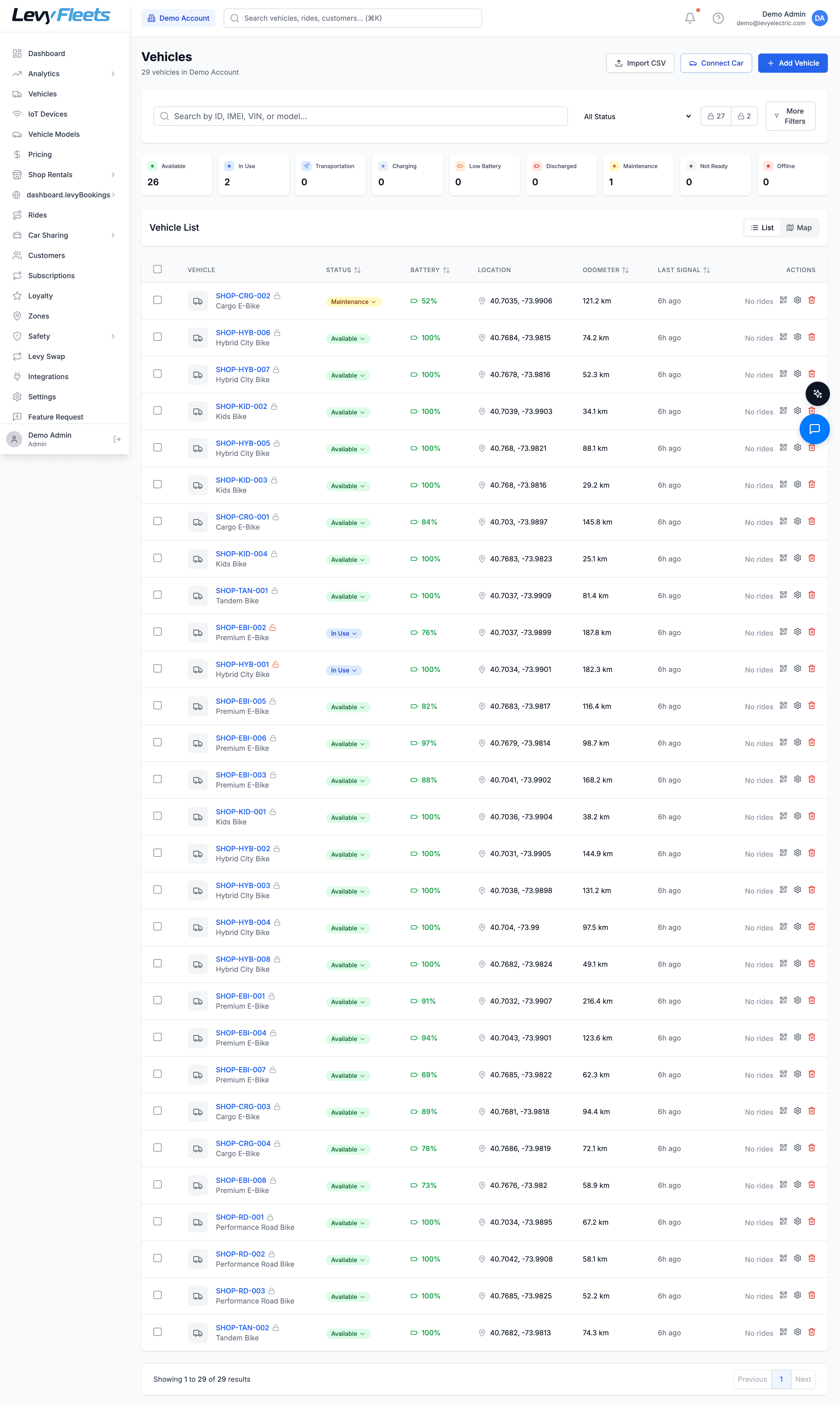
A "stuck ride" is any trip the rider cannot end normally: the vehicle will not lock, the app spins, or the ride keeps billing after they walked away. Because remote lock/unlock and real-time status are standard, you have direct levers to fix it.
Confirm the real state
Open the ride in the operator dashboard and check live GPS, lock state, and battery. Most "stuck" rides are a rider standing next to a vehicle that is fine, or a lock command that has not confirmed yet.
Send the command remotely
Issue the remote lock or unlock from the dashboard. This resolves the common case where the rider's phone lost signal but the vehicle is reachable over its own connection.
Force-end and correct the fare
If the vehicle locked but the ride kept running, end the ride and adjust the fare down to what the rider actually used. Recording the correction against the ride keeps your accounting and any partner payout accurate.
Close the loop with the rider
Send a proactive message confirming the ride ended and the fare is corrected. A rider who hears back before asking twice does not escalate to a chargeback.
Pauses
Riders pause to hold a vehicle during a quick stop. Ride pausing supports manual pauses by the rider and automatic pauses (for example on idle movement or low balance). That is a feature, not a bug, but it generates contacts when a rider does not understand why the trip paused. Handle it by explanation, not by reflexive refund:
- Manual pause confusion: the rider paused and thinks the ride ended. Confirm the vehicle is still theirs, show the resume button, and remind them a pause holds the vehicle so no one else can take it.
- Auto-pause on low balance: the wallet ran dry mid-trip. Point the rider to top up (managed payments and the rider wallet are standard) and resume. Do not refund a pause that worked as designed.
- Auto-pause on idle: the vehicle sat still long enough to trigger a safety pause. Explain it, resume, and adjust the fare only if the pause was genuinely erroneous.
A pause is a retention save, not a refund trigger
When a rider contacts you about a pause, they are usually mid-ride and frustrated. Resolve it in the conversation, resume the trip, and let them finish. A refunded pause teaches riders that confusion pays. A clear explanation plus a smooth resume teaches them the product works.
Refunds
Refunds are where support meets your books, so do them in a way that keeps the accounting clean. The rule that scales: always refund against the ride, never by crediting a wallet out of nowhere. The ride is the source of truth for what was charged, so a refund is either a fare adjustment (the ride was overcharged, reduce it) or a refund against what was actually paid (the fare is right but the rider deserves money back, to wallet or card). Recording it on the ride keeps net revenue, taxes, and any partner payout correct. Credit a wallet in isolation and you quietly overstate revenue and overpay partners.
On the Managed plan, Levy runs disputes, chargebacks, collections, and dunning, so a card dispute is handled for you. On Software-Only you run it, but the included identity verification and fraud prevention (SoCure and Experian, plus Stripe Identity) raise the cost of the fake accounts that drive fraudulent chargebacks. Either way, treat a well-handled refund as retention spend: a rider who gets a fair, fast correction usually stays, while a rider who files a chargeback is gone and costs you the dispute on top of the fare.
Set SLAs you can actually hit
An SLA you publish and miss is worse than no SLA. Set targets you can hold at current staffing, then tighten them as deflection improves. These are planning heuristics to adapt to your fleet, not platform guarantees:
| Channel | First-response target | Resolution target |
|---|---|---|
| In-app self-serve | Instant (deflection) | Instant |
| SMS and chat | 5 to 15 minutes | Same session where possible |
| 4 to 8 business hours | 1 business day | |
| Safety or stuck-ride (active trip) | Under 5 minutes | Same session |
The one SLA you cannot flex is the active-trip emergency. A rider stranded next to a vehicle that will not lock is a safety and trust event, not an email. Route active-ride issues to a fast lane that jumps the normal queue and staff it around the clock, which is exactly what the Managed plan's 24/7 desk exists to cover.
Publish only the SLA you staff for at 2 a.m.
Riders ride at night and on weekends, so a "4 to 8 business hours" promise means nothing to someone stuck on a Saturday. Either commit to 24/7 coverage for active-trip issues (in-house or via the Managed desk) or scope your published SLA to the hours you truly cover. Over-promising coverage you cannot staff loses trust faster than tickets do.
Staff to a ratio, not a hunch
Support headcount should track contacts, not vehicle count alone, because a well-deflected fleet of 500 vehicles can generate fewer contacts than a poorly-deflected fleet of 200.
Measure your contact rate
Start from contacts per 100 rides, the lever everything else hangs on. A mature self-serve setup pushes it down, and every point you shave removes headcount you would otherwise hire.
Convert to weekly ticket volume
Multiply your contact rate by expected rides per week. This is the real workload, and it moves with ridership, weather, and season, not with vehicle count on paper.
Divide by realistic agent throughput
A single agent handles a bounded number of tickets per shift once macros are in place. Divide weekly volume by that throughput to get agents-per-shift, then cover your published hours.
Add a peak buffer
Use the AI Ops demand forecast to see spikes coming and schedule extra coverage into predicted peaks rather than paying overtime after the queue has blown up.
The strategic takeaway: you do not scale support by hiring in proportion to vehicles. You scale it by driving the contact rate down so headcount grows far slower than the fleet. That is the whole difference between support that eats your margin and support that protects it. On the Managed plan you rent that curve from Levy inside the revenue share. On Software-Only you build it yourself with the included Zendesk and Twilio tooling.
Put support cost into your unit economics
The profitability guide breaks down the per-ride and per-vehicle math, so you can price support headcount against contribution and decide Managed versus in-house on real numbers.
Managed or in-house: run the decision
The support question is really build versus rent, and the honest answer depends on your volume and your appetite for running a 24/7 desk. Compare the two the way you would any operating cost.
| Consideration | Managed (revenue share) | Software-Only (in-house) |
|---|---|---|
| Who staffs the queue | Levy, 24/7 | You |
| Support cost model | Inside 20% of GMV (15% at 100 to 249 vehicles) | Your payroll, plus $14 per vehicle per month |
| Disputes, chargebacks, collections | Levy runs them | You run them (fraud tooling included) |
| Tooling included | Full stack, run for you | Zendesk, Twilio, apps, dashboard |
| Best fit | Launch, thin ops, nights and weekends you cannot cover | In-house team, high volume, full voice control |
There is no universally right answer, only the right one for your volume and your team. If you are launching or cannot credibly cover nights and weekends, Managed buys you a 24/7 desk you would struggle to staff alone. If you already run operations and your volume makes in-house cost-per-ticket beat the revenue share, Software-Only hands you the tooling and the control. The cleanest way to pressure-test it is to see the dashboard and support tooling against your own numbers on a live product demo.
Frequently asked questions
The habit that keeps support profitable
Support does not scale by hiring in lockstep with vehicles. It scales by deflecting most contacts automatically, resolving routine ones with included automation, and reserving humans for the stuck rides, pauses, and refunds that genuinely need judgment. Set SLA targets you can staff, protect the active-trip fast lane around the clock, watch contacts per 100 rides as your north star, and decide Managed versus in-house on real volume rather than a gut call. Do that, and support stops growing faster than the fleet and starts protecting the margin the fleet earns.
See the support and operations tooling on your numbers
Book a live demo to walk the operator dashboard, rider apps, and support workflows, and compare Managed versus in-house support against your own ride volume.