Getting Logs from the Moped IoT
This guide explains how to access the IoT module in a Segway moped and extract diagnostic logs using a USB to TTL cable and the desktop diagnostic application.
Tools Required
- USB to TTL converter cable (see USB to TTL Cable guide)
- 3.95mm pentagonal bit (P bit)
- PH2 Phillips bit
- Desktop diagnostic program (contact Segway to obtain)
- Windows laptop
Steps
Step 1 - Disassemble the front panel:
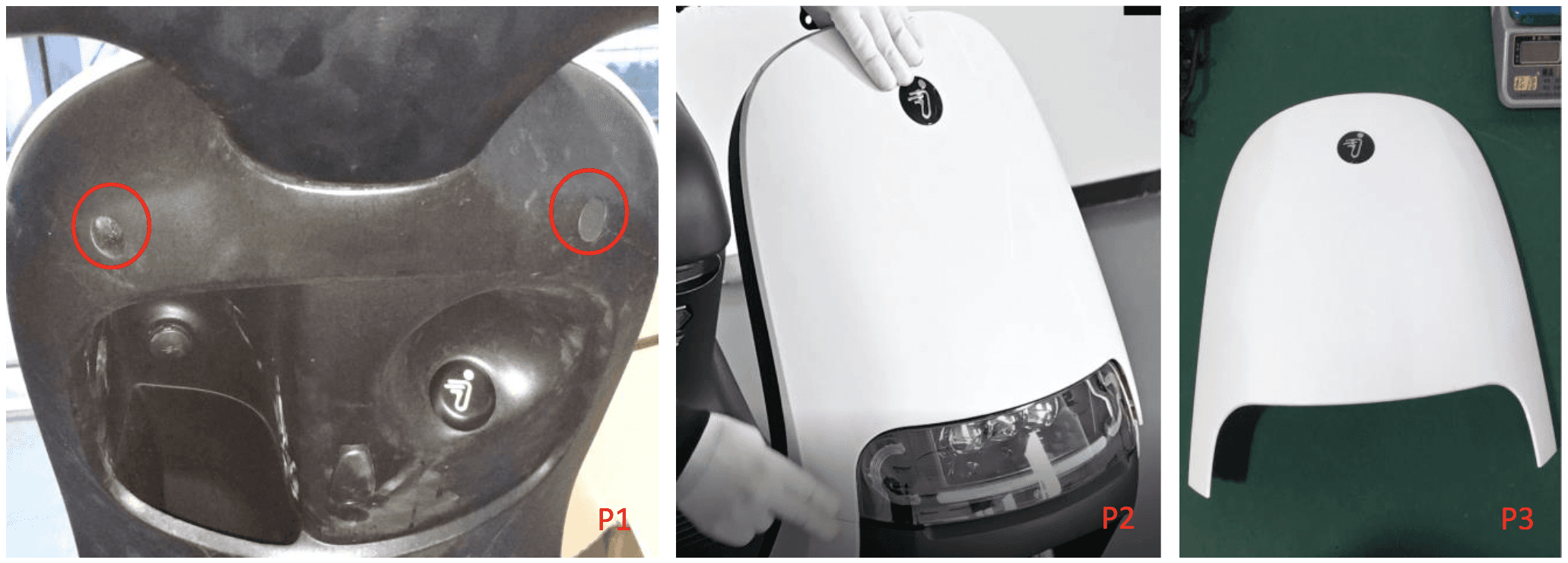
Power off the moped. Remove 2 rubber stoppers. Remove 2 screws ST4.2×12 using the 3.95mm pentagonal bit (P1). Separate the front panel from the windshield (P2) and remove the panel (P3).
Step 2 - Remove inner protect plate and access IoT:
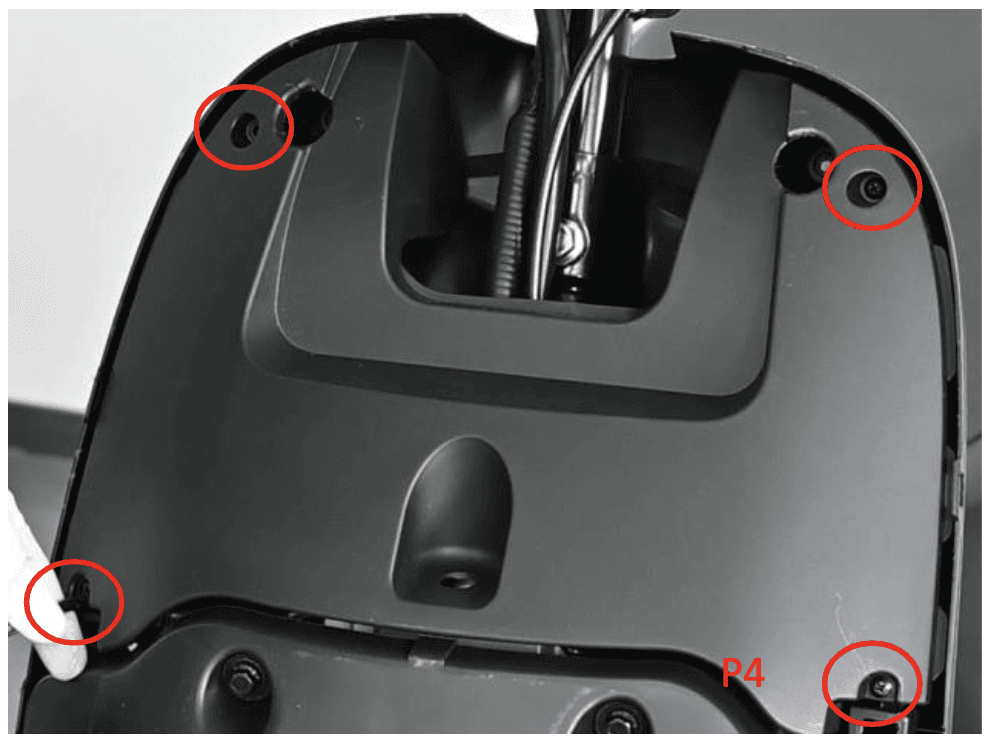
Remove 4 screws ST4.2×12 using a PH2 Phillips bit. Remove the front inner protect plate. Locate the IoT module and connect the USB to TTL cable to its diagnostic port.
If you need a USB to TTL converter cable, see the USB to TTL Cable guide.
Step 3 - Connect to laptop:
Connect the USB end of the cable to your Windows laptop. Open the desktop diagnostic program (download from Segway if needed).
Step 4 - Establish connection:
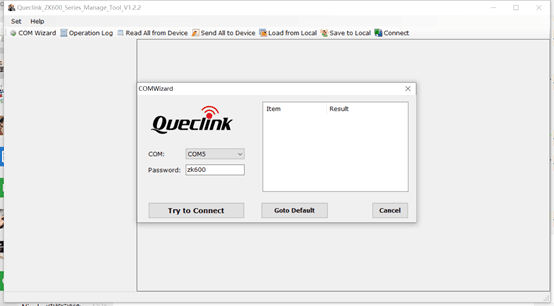
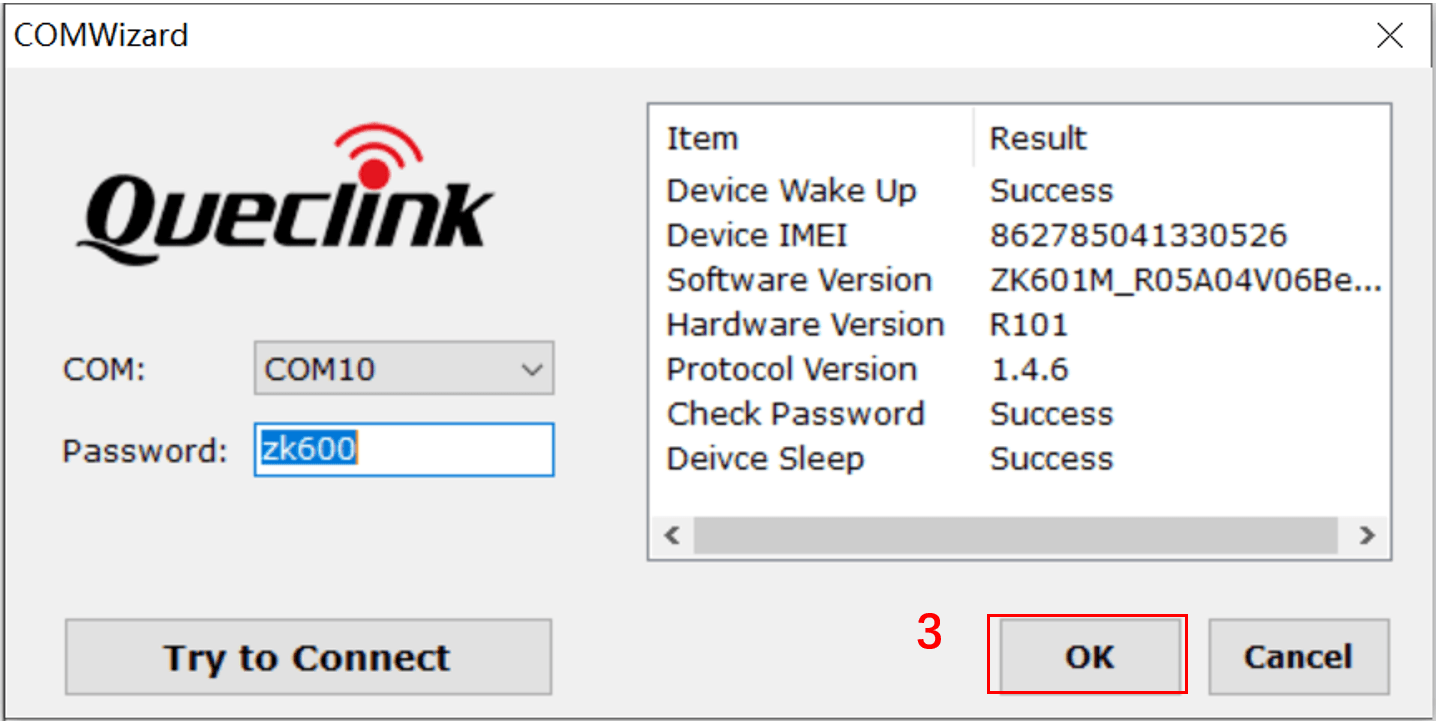
Select the correct COM port in the software and click Try to Connect. When connected, you will see device information. Click OK to proceed.
Step 5 - Capture logs:
In the main window, press Ctrl + L on your keyboard. A command window will appear. Enter the following commands in sequence:
- Type
log -na alland click Send - Type
at+qfct=0803and click Send - Type
log -na allagain and click Send
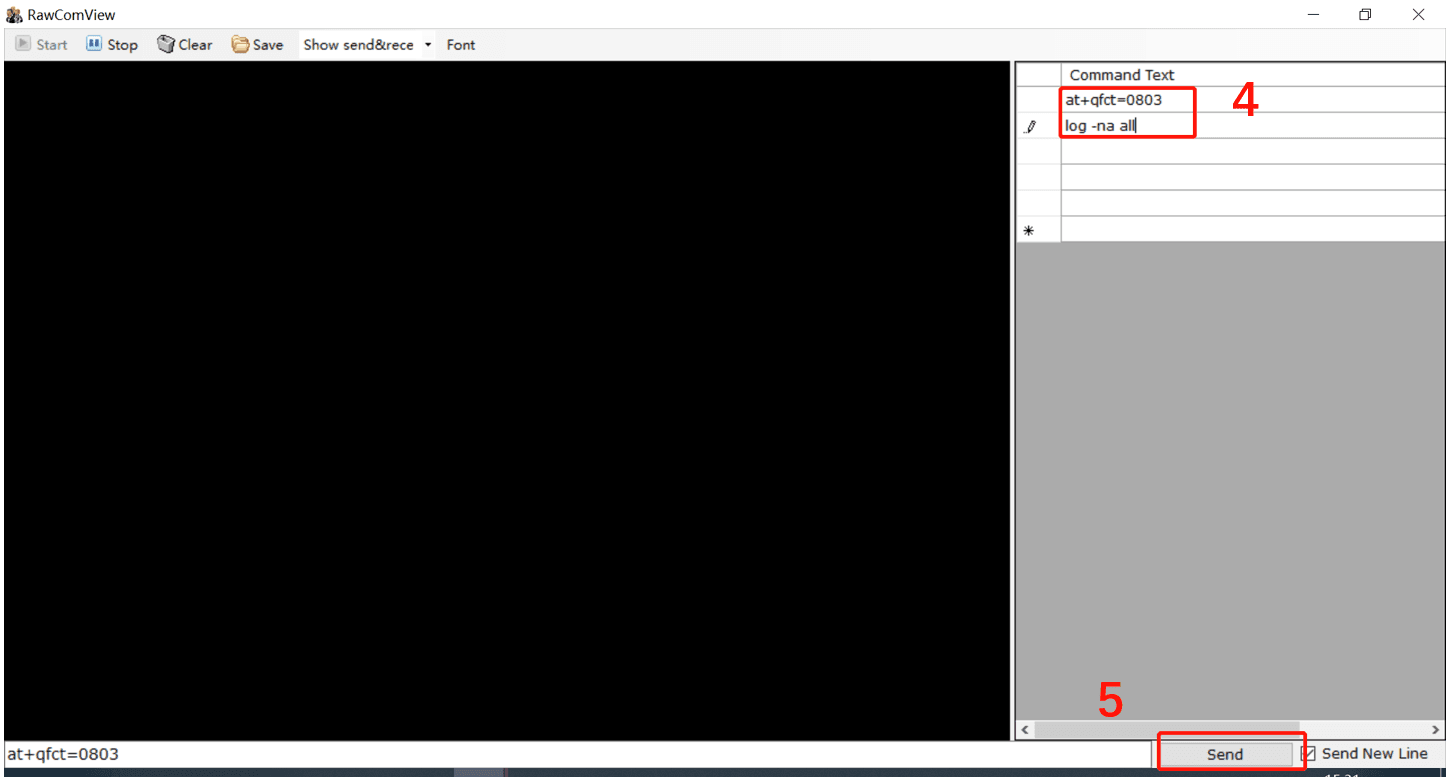
Step 6 - Save logs:
Wait approximately 10 minutes for log data to accumulate. Then click Save to download the log file to your PC.
To stop log printing at any time, type log -f all and click Send.
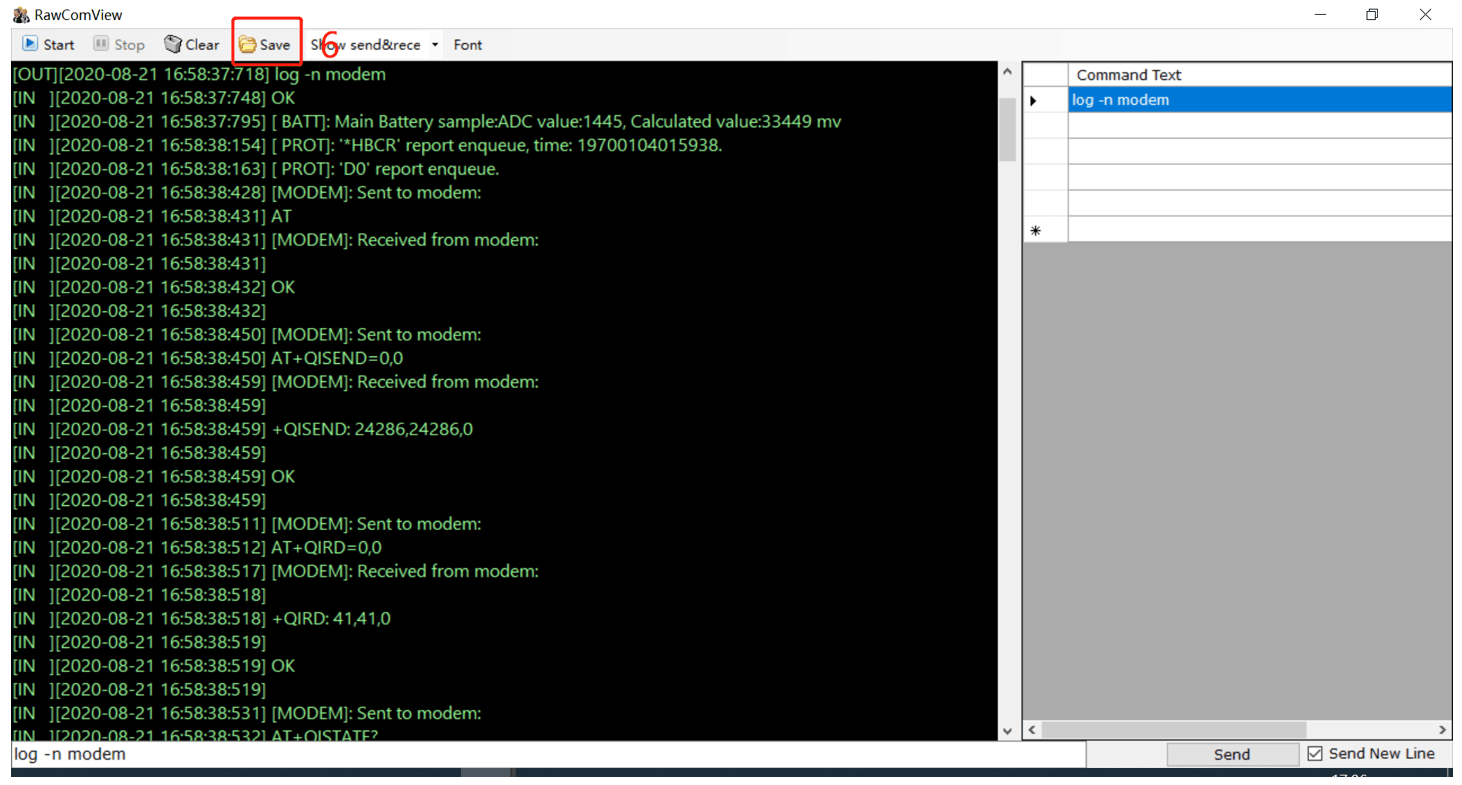
Sending Logs to Segway Support
After saving the log file, send it to Segway support along with:
- Moped serial number
- Description of the issue you are investigating
- When the issue started
Reassembly
After log capture:
- Disconnect the USB cable from the IoT
- Reinstall the inner protect plate (4 screws ST4.2×12)
- Reattach the front panel (2 screws ST4.2×12 with pentagonal bit)
- Replace the 2 rubber stoppers
Running a fleet on this hardware?
Levy Fleets runs scooters, e-bikes, mopeds and golf carts on the IoT hardware you already have, with integration pages for 29 vendors including Segway, Okai, Omni, Queclink, Invers and Comodule. Keyless unlock, geofencing, rider payments and rider support are included, and the Managed plan is a share of revenue with no per-vehicle software fee.