Feishen Scooter BLE Configuration
This guide covers how to configure Feishen (飞神) scooters to connect to the Levy Fleets platform using the Omni BLE Tool app.
What You'll Need
- An Android or iOS device
- The scooter powered on with Bluetooth enabled
- The Omni BLE Tool app installed
This app is only needed for initial device setup. Once configured, you won't need it again.
Replacing the Physical SIM
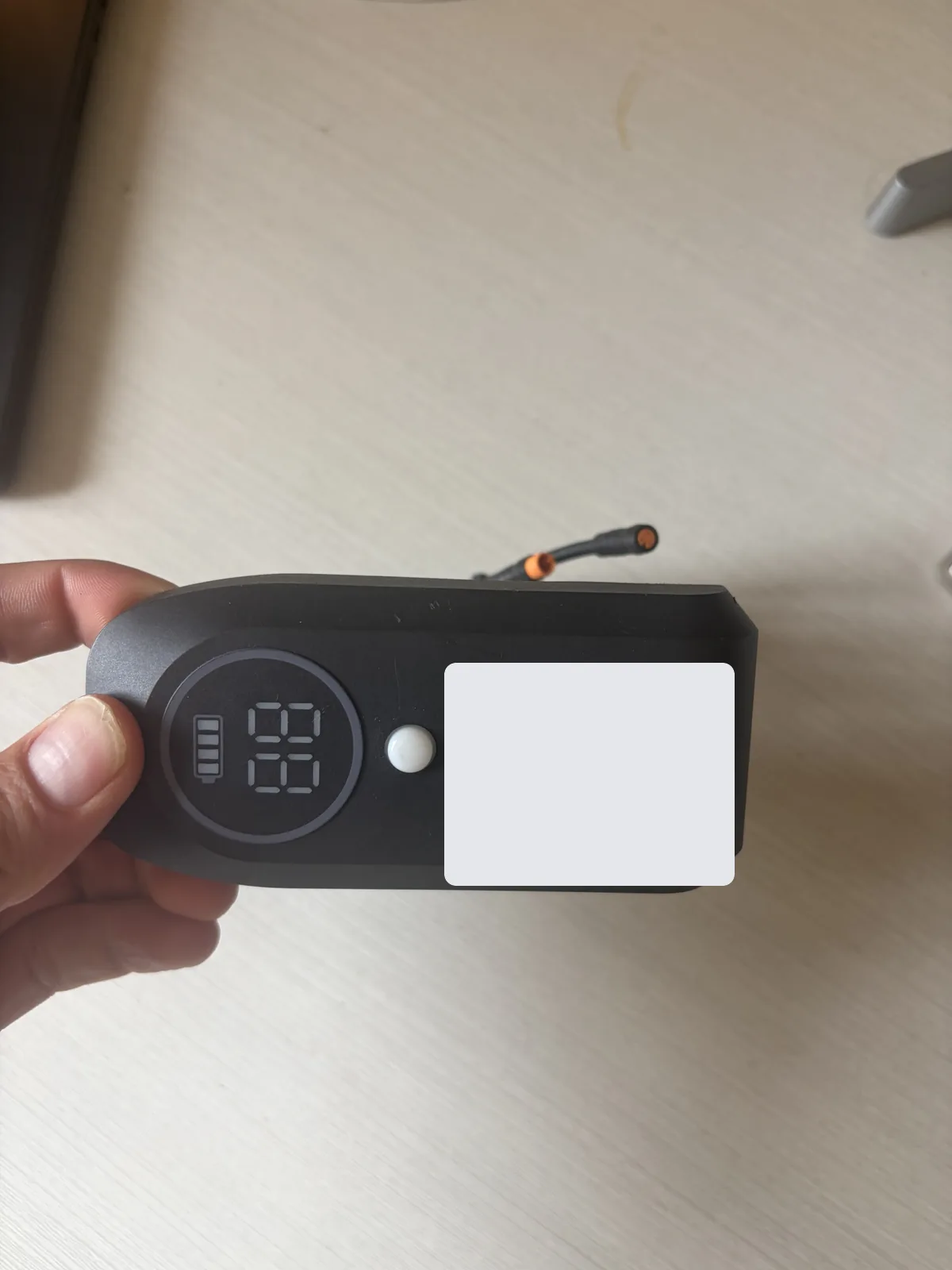
If the scooter needs a physical SIM swap before BLE configuration, use Feishen IoT SIM Replacement. The SIM is inside the black display IoT module shown below, not inside the Segway Max Plus / Queclink dashboard IoT.
Video Tutorial
Watch the complete setup process:
Step 1: Download the App
Download the Omni BLE Tool app on your Android device:
| Platform | Download Link |
|---|---|
| Android | Download Omni BLE Tool APK |
| iOS | BLE Tool Plus on App Store |
Android users: You may need to enable "Install from Unknown Sources" in your Android settings to install the APK.
Step 2: Login to the App
Open the Omni BLE Tool app and log in with these credentials:
| Field | Value |
|---|---|
demo@levyelectric.com | |
| Password | Contact Levy support for the current operator credential |
Step 3: Select Device Setting
After logging in, select the appropriate setting option for Feishen scooters:
| Field | Value |
|---|---|
| Setting Option | 飞神-1.5 or 飞神-1.1 |
Which version do I use?
Check your Levy Fleets Dashboard to see which firmware version your scooters are running. Some scooters require 飞神-1.1 instead of 飞神-1.5. If you're unsure, contact support@levyelectric.com.
Step 4: Connect to the Scooter
Enable Bluetooth
Ensure Bluetooth is enabled on your phone
Power On Scooter
Make sure the scooter is powered on
Scan for Devices
In the app, scan for nearby Bluetooth devices. Stay within 10 meters of the scooter.
Connect
Tap on your scooter to establish a Bluetooth connection
Step 5: Configure Server IP, Port & APN
After connecting to the scooter:
Navigate to Server Settings
Go to the Server tab in the app and find the IP/Port/APN configuration
Enter Settings
Enter the following values:
Depending on your app version, this field may be labeled IP Address or Domain Name — both refer to the same field.
APN is required
The APN must be set to •••••sign in (lowercase, no spaces) for the supplied SIM cards. Leave APN username and password blank.
Save Settings
Tap Save or Apply to write the settings to the device
Reboot Device
Send a reboot command or power cycle the scooter for changes to take effect
Verify Connection
After rebooting, wait 2-3 minutes then check Levy Fleets Dashboard > IoT Devices to confirm your device appears online.
Troubleshooting
Device not appearing in scan?
- Ensure you are within 10 meters of the scooter
- Make sure the scooter has battery power
- Check that Bluetooth and Location are enabled on your phone
- Try power cycling the scooter
Device not connecting after configuration?
- Verify you entered the correct IP: •••••sign in
- Confirm the port is set to •••••sign in
- Confirm the APN is set to •••••sign in for the supplied SIM cards
- Make sure to reboot the IoT after saving settings
- Check that the SIM card has active data service
- Wait 2-3 minutes after reboot for the device to connect
Verifying Connection
After configuration:
- Wait 2-3 minutes for the device to establish connection
- Go to Levy Fleets Dashboard > IoT Devices
- Search for your device by IMEI
- The device should show as "Online" with recent telemetry data
Server Configuration Reference
| Device Type | IP Address | Port | APN |
|---|---|---|---|
| Feishen (飞神) | •••••sign in | •••••sign in | •••••sign in |
| Segway / Omni | •••••sign in | •••••sign in | SIM carrier default |
| OKAI | •••••sign in | •••••sign in | Leave unchanged unless instructed |
| Queclink | •••••sign in | •••••sign in | SIM carrier default |
Need Help?
Contact support@levyelectric.com with your device IMEI if you encounter issues. See also Omni IoT Integration for protocol details.
Running a fleet on this hardware?
Levy Fleets runs scooters, e-bikes, mopeds and golf carts on the IoT hardware you already have, with integration pages for 29 vendors including Segway, Okai, Omni, Queclink, Invers and Comodule. Keyless unlock, geofencing, rider payments and rider support are included, and the Managed plan is a share of revenue with no per-vehicle software fee.