How do you open the Segway Battery Compartment?
If the battery compartment cover was locked without a battery installed, or you cannot release it through the app because of low power, over-discharge, or Transport Mode, use one of the service methods below.
Compatibility
This procedure is used on fleet Segway MAX variants with the same battery-cover design, including MAX Pro (2.2), MAX Plus (2.3), and MAX Plus X (2.4).
Method 1: Open the Cover with a Key
This is the standard manual-opening procedure when you have the Segway service key.
Tools needed:
- T20 torx bit
- 3.95 mm pentagonal bit (P3)
- Segway battery-cover key
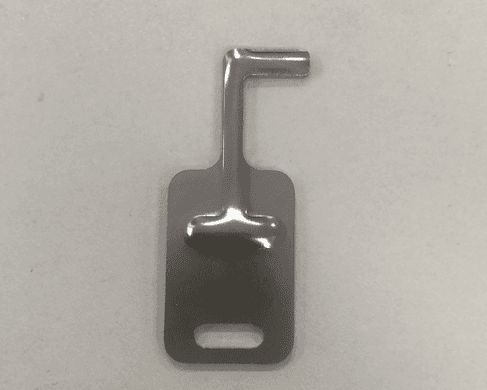
Steps
- Remove the assembly cable cover plate with the
T20bit. - Remove the tail light wire buckle with the
3.95 mmpentagonal bit so the keyhole is exposed. - Insert the Segway service key into the exposed keyhole.
- Turn the key counterclockwise to release the lock.
- Lift the battery compartment cover.
Reassembly
After servicing the battery compartment:
- Reinstall the tail light wire buckle and route the harness cleanly.
- Reinstall the cable cover plate.
- Tighten the tail light wire buckle screws to
2 +/- 0.2 N*m. - Tighten the cable cover screws to
1.5 +/- 0.2 N*m.
Method 2: Emergency Power Converter or Cover Unlock Adapter
If the scooter is completely dead, or the key method is not available, use an Emergency Power Converter or Cover Unlock Adapter.
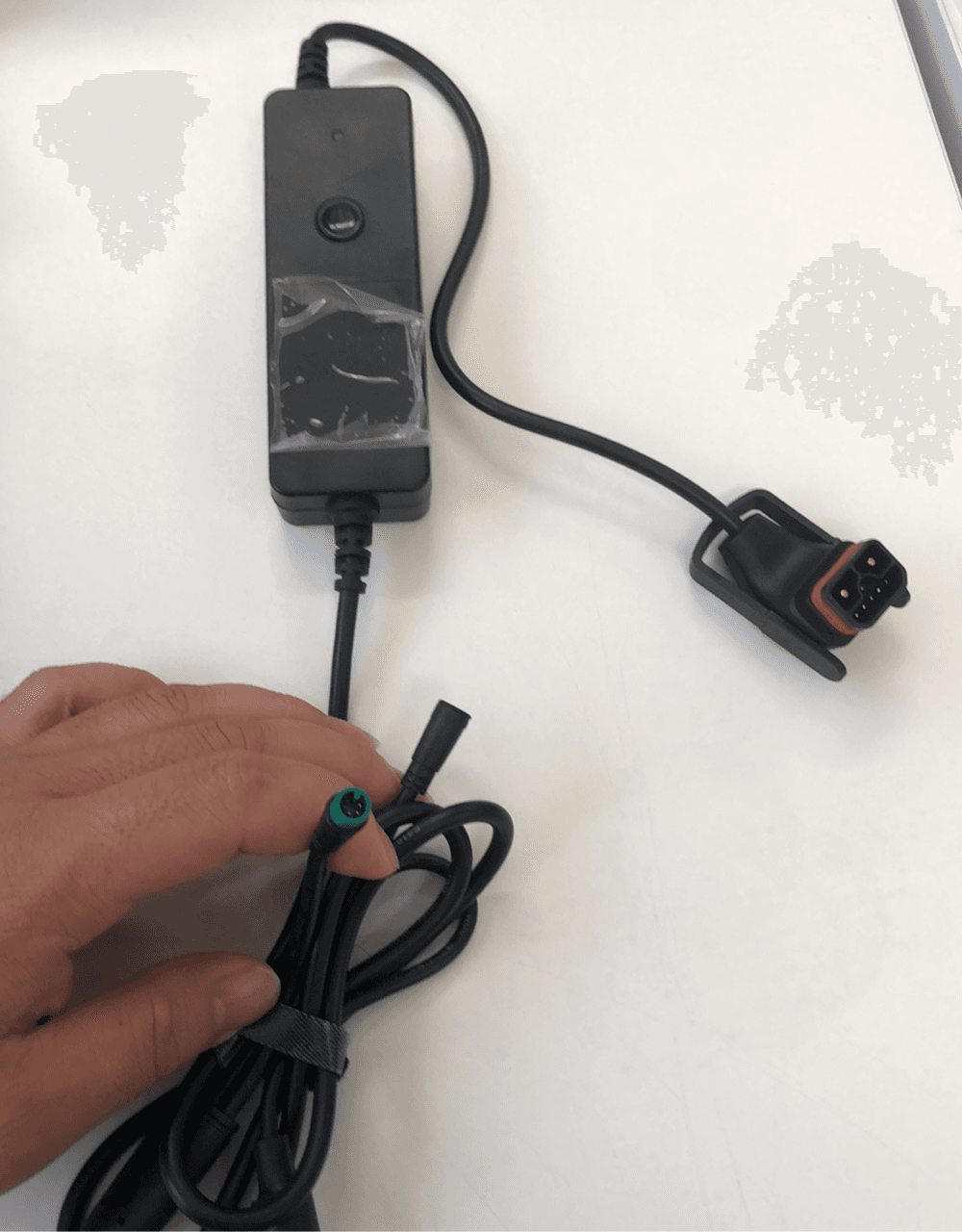
The Emergency Power Converter temporarily powers the scooter through the charging input so you can unlock the cover normally. The Cover Unlock Adapter mechanically releases the latch without needing scooter power.
Powered Unlock Steps
- Connect the Emergency Power Converter between an external backup battery and the scooter's charging port.
- Allow the scooter to boot.
- Use the Segway Launcher app or a compatible BLE tool to unlock the battery cover normally.
- Remove the converter after the cover is open and service the battery compartment.
For the mechanical release tool, see Cover Unlock Adapter.
Notes
- Do not pry the battery cover open. If the latch is still engaged, use the key method or external-power method.
- Keep the service key and emergency converter in your field kit for battery-swap vehicles.
- Charge scooters regularly to avoid deep discharge and Transport Mode lockout.
Running a fleet on this hardware?
Levy Fleets runs scooters, e-bikes, mopeds and golf carts on the IoT hardware you already have, with integration pages for 29 vendors including Segway, Okai, Omni, Queclink, Invers and Comodule. Keyless unlock, geofencing, rider payments and rider support are included, and the Managed plan is a share of revenue with no per-vehicle software fee.