SOP - Replace Display Panel (MAX)
This SOP covers the replacement procedure for the display panel on the Segway MAX scooter. The display panel shows speed, battery level, and error codes.
Before You Begin
- Power off the scooter and place it in Transport Mode
- Have a replacement display panel, T15/T20 torx bits, and M3 screwdrivers ready
- Discharge any static electricity before handling electronics
Visual SOP - Step by Step
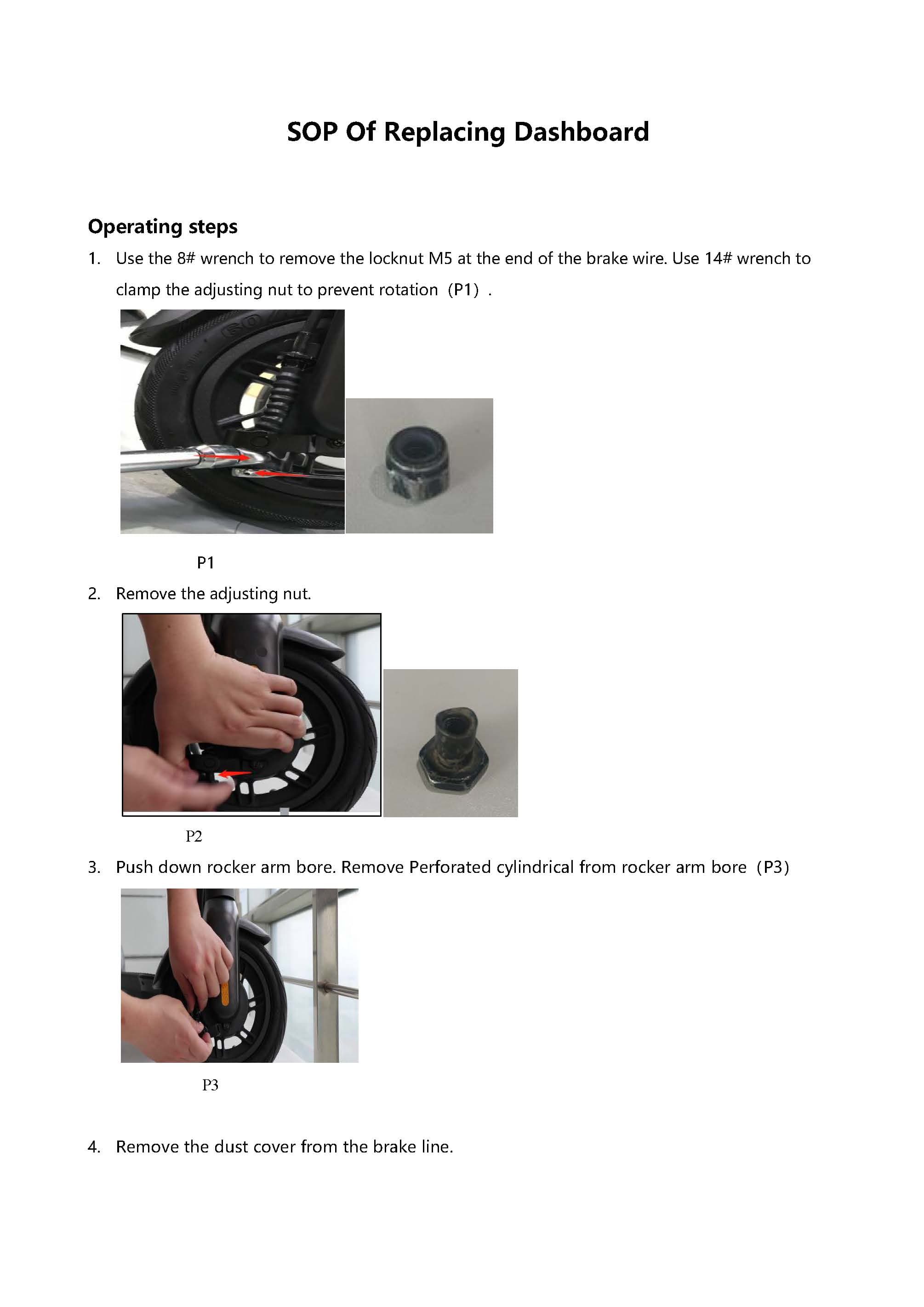
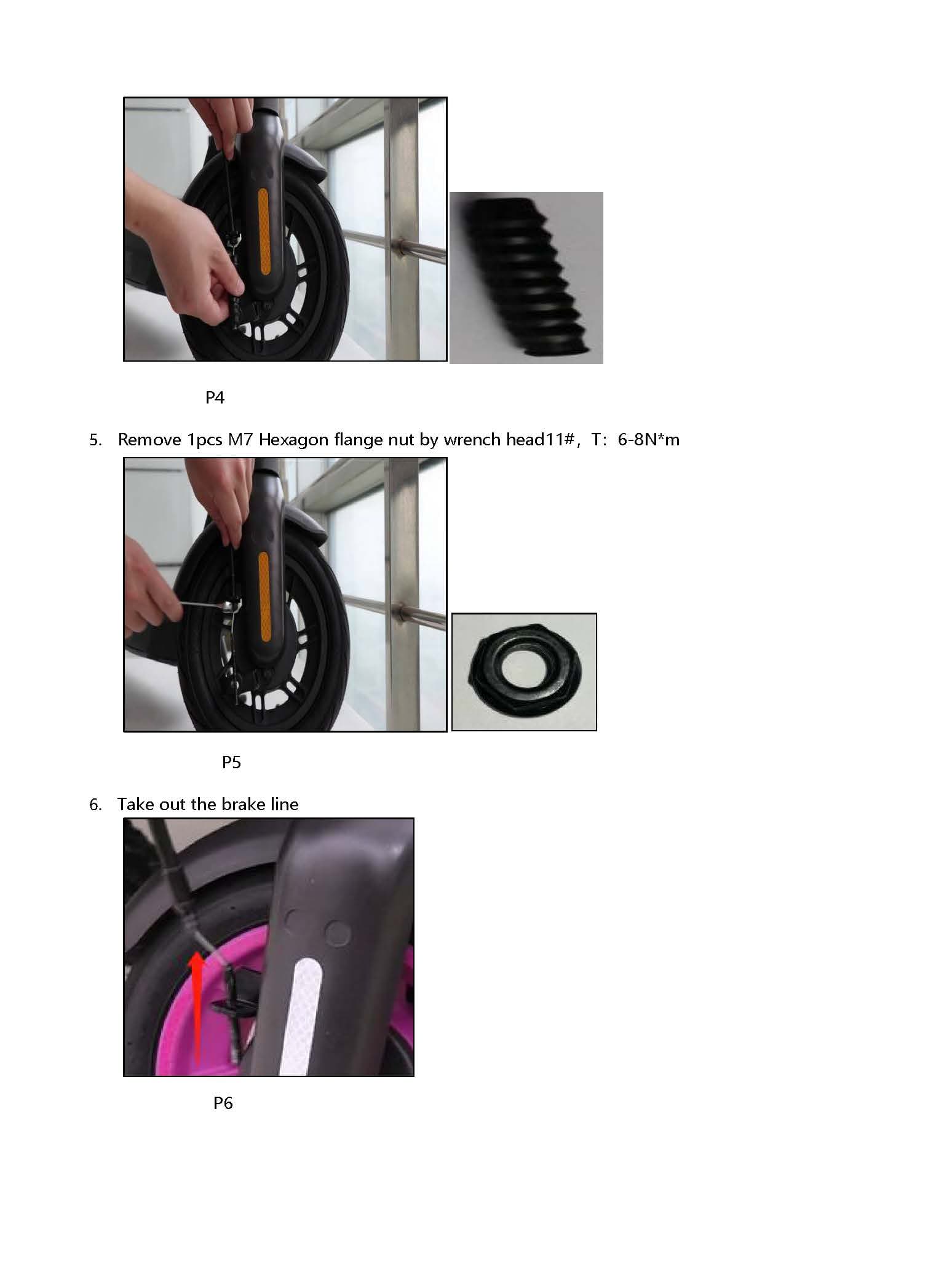
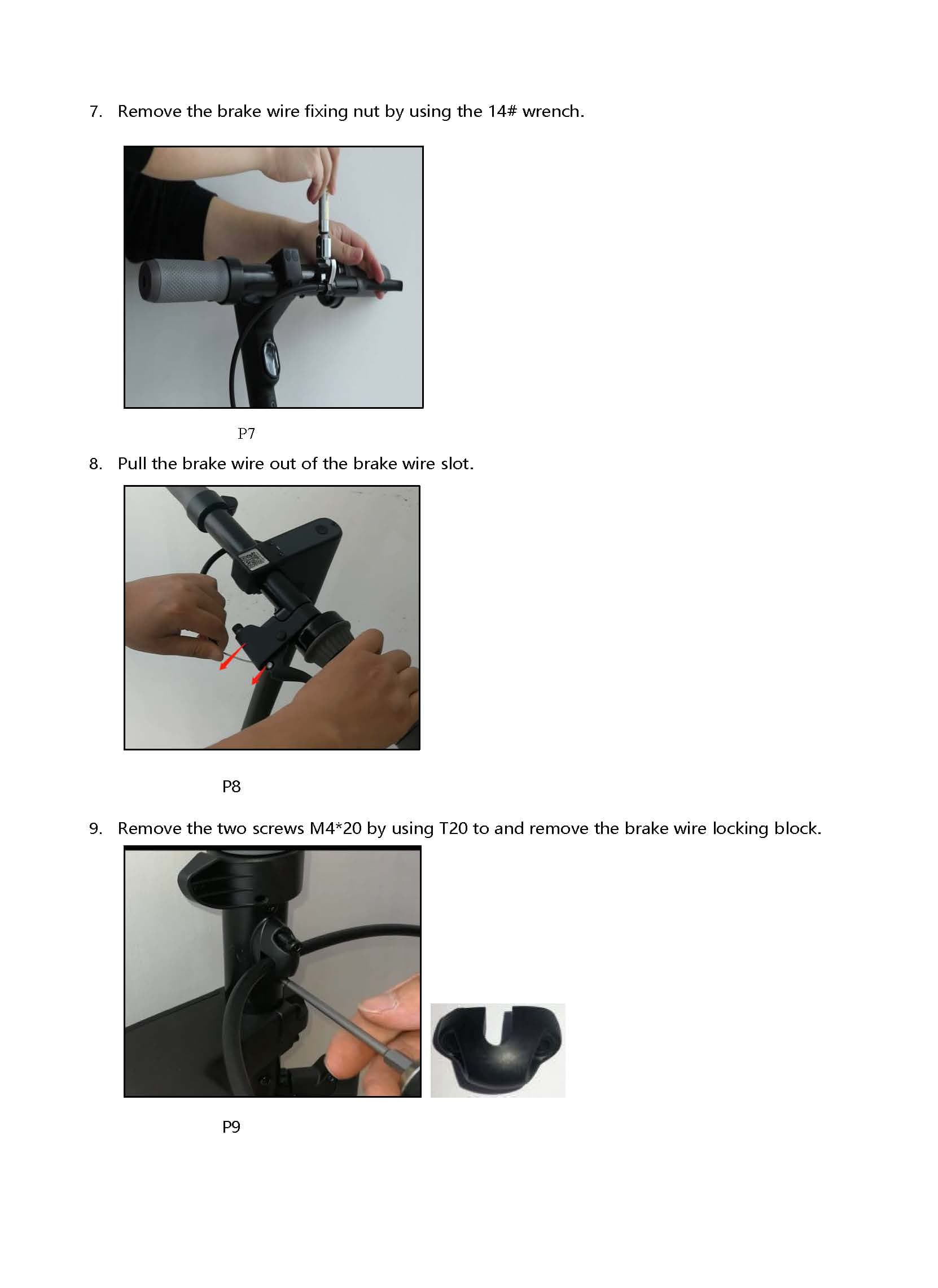
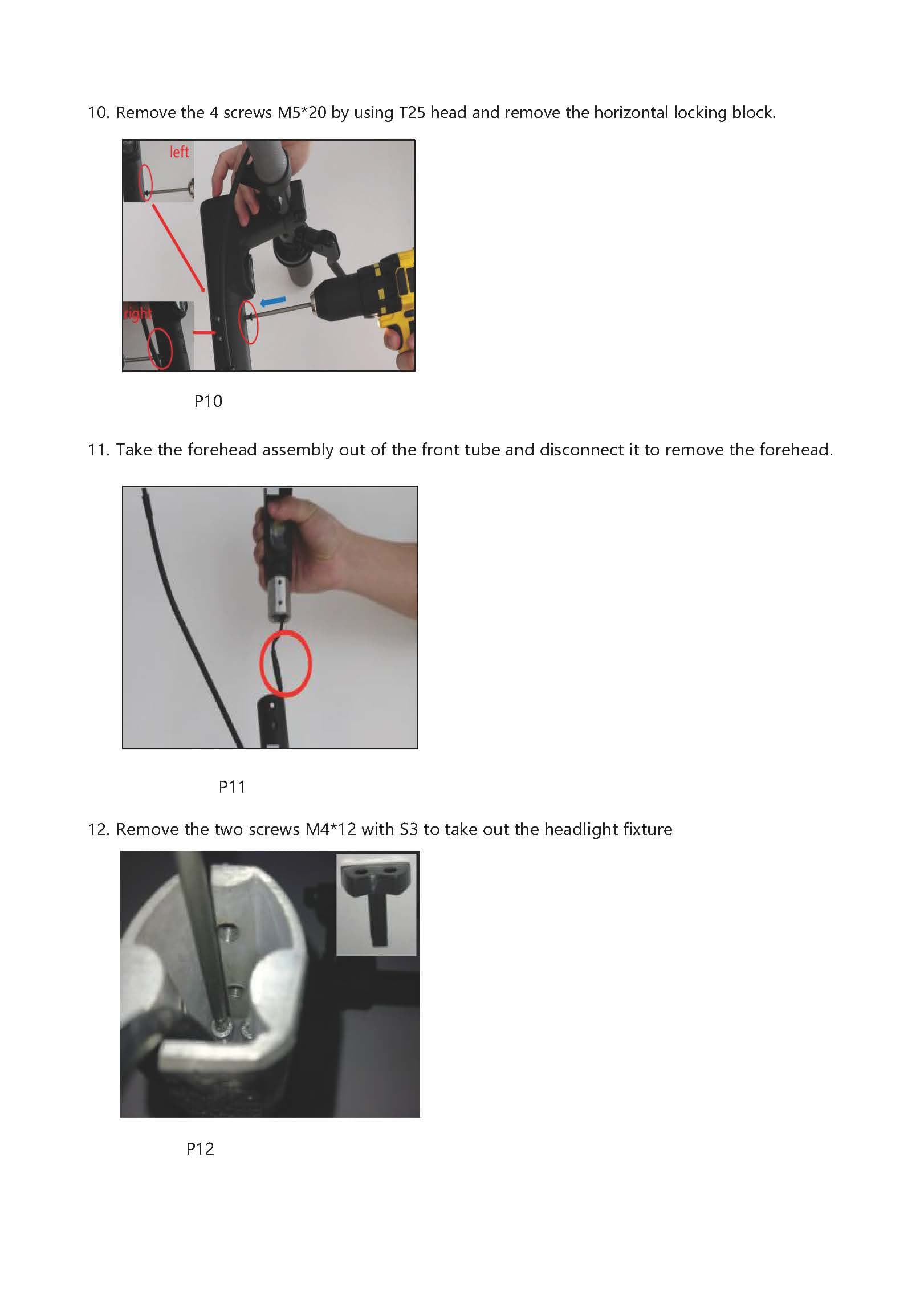
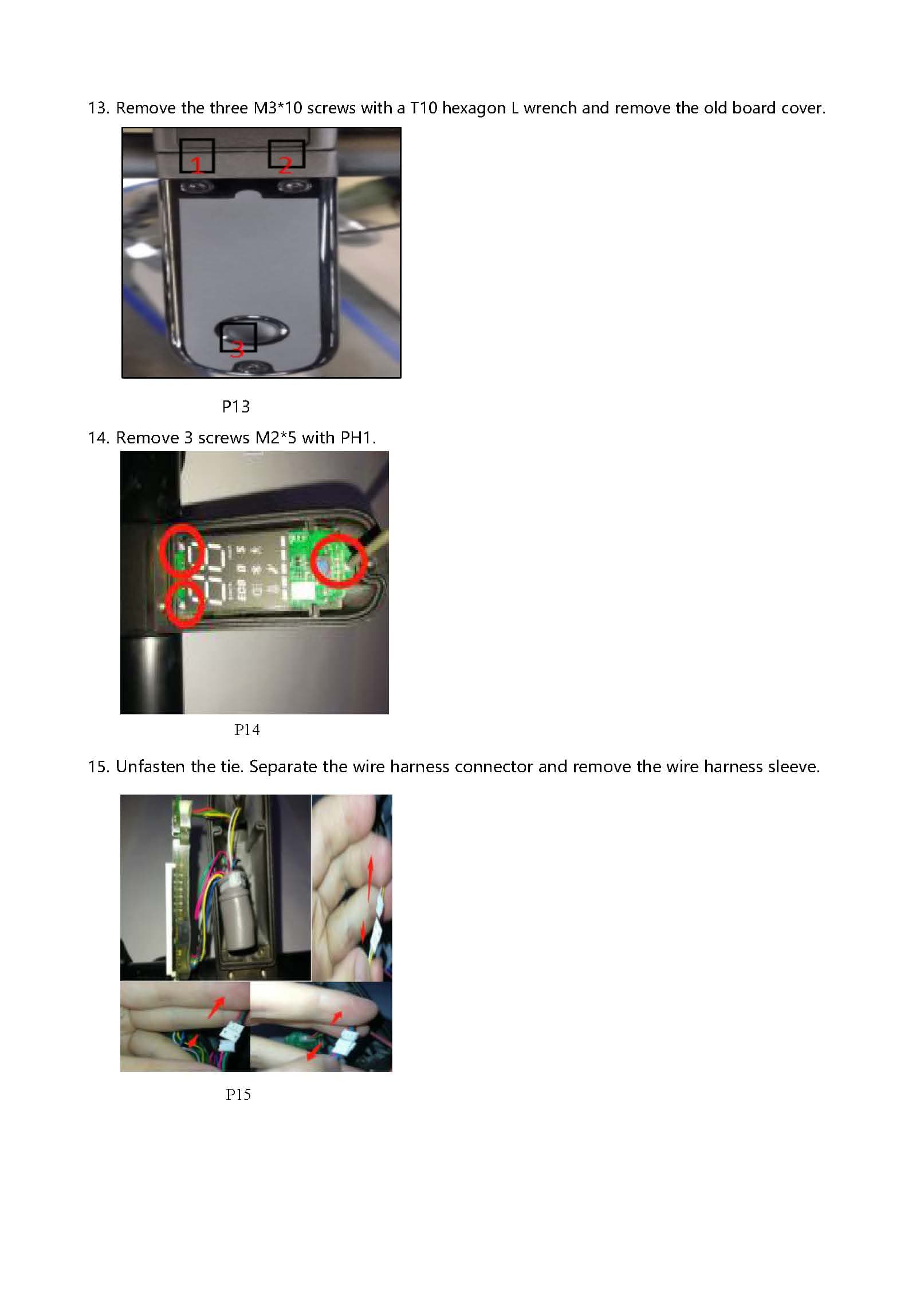
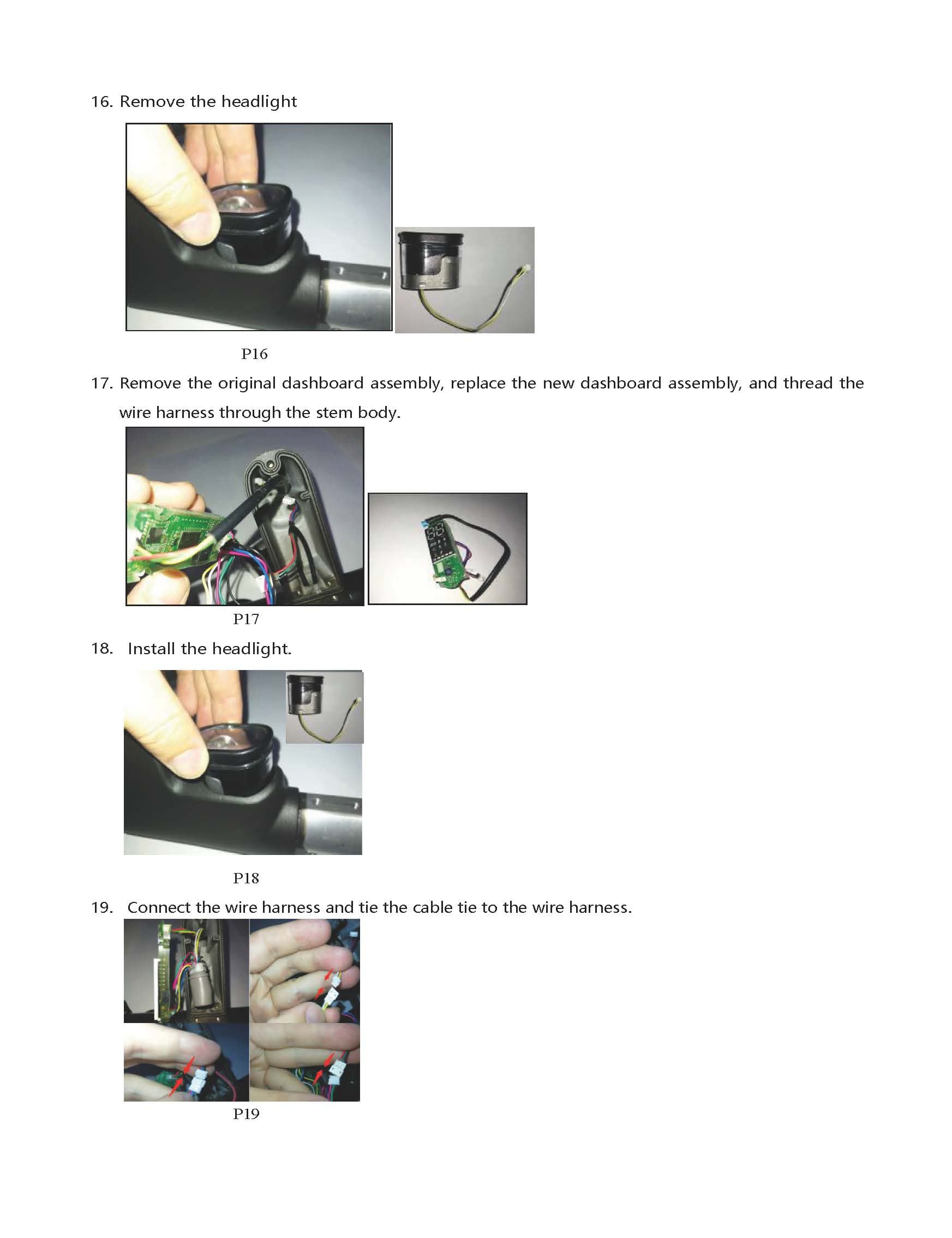
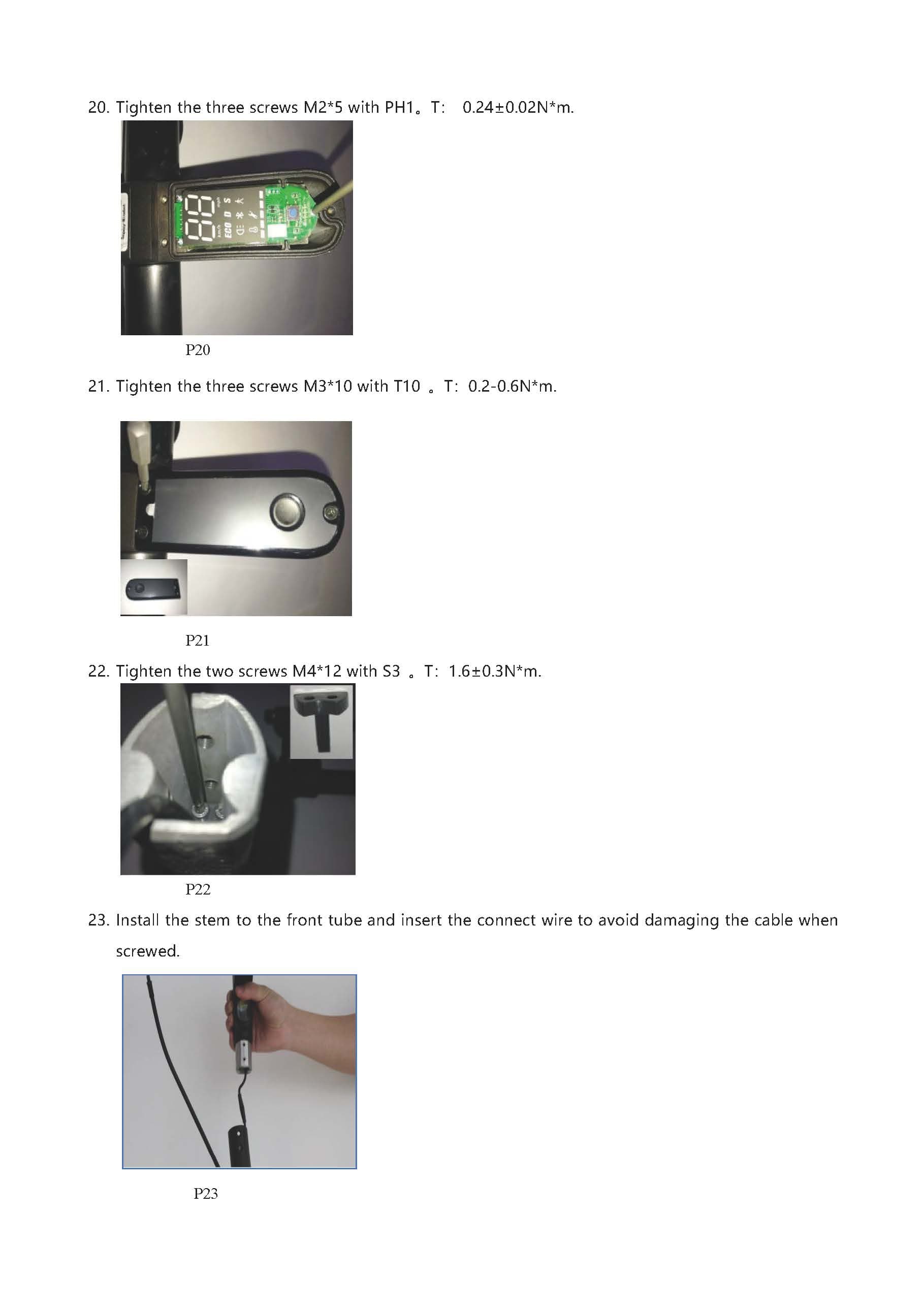
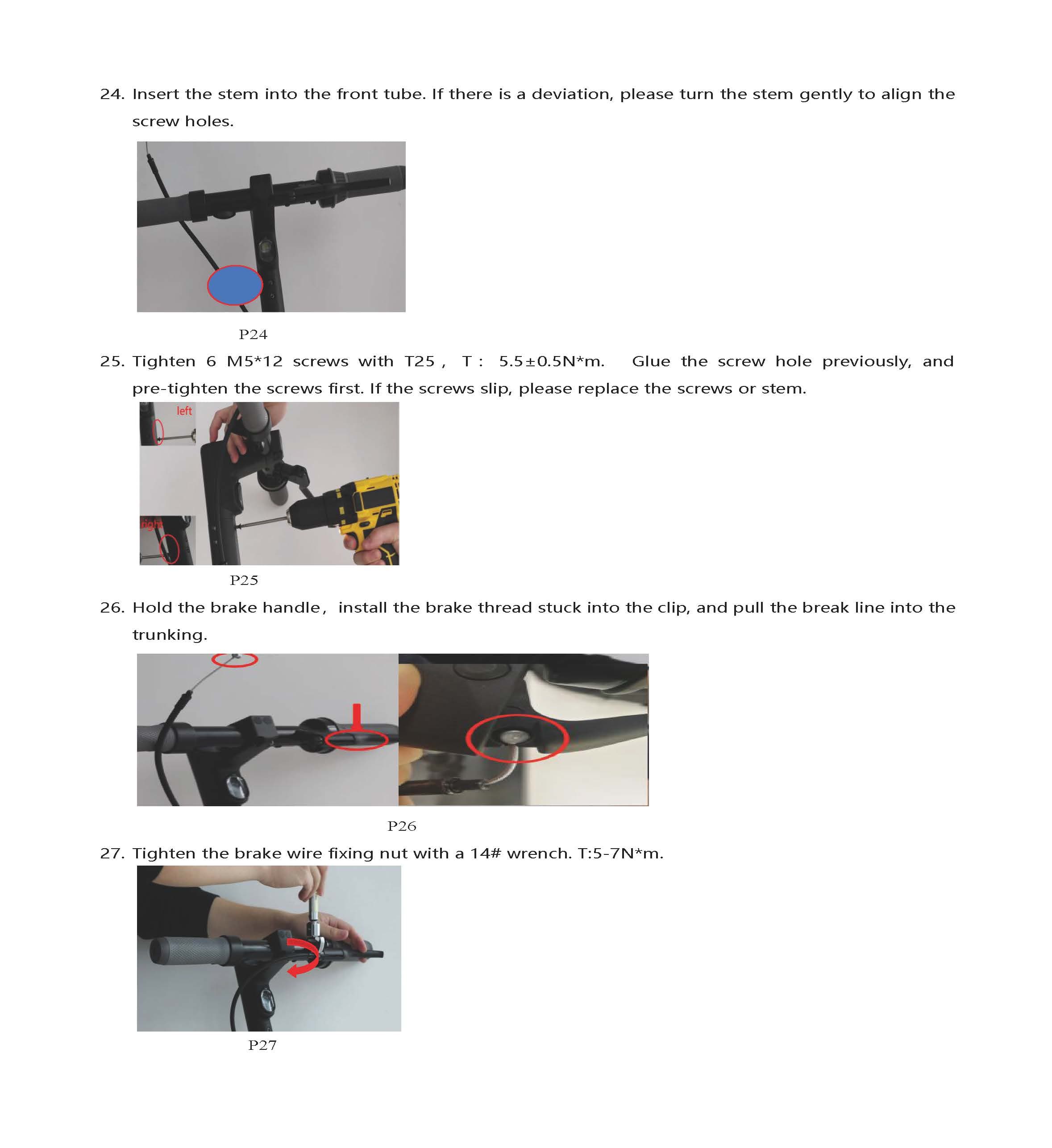
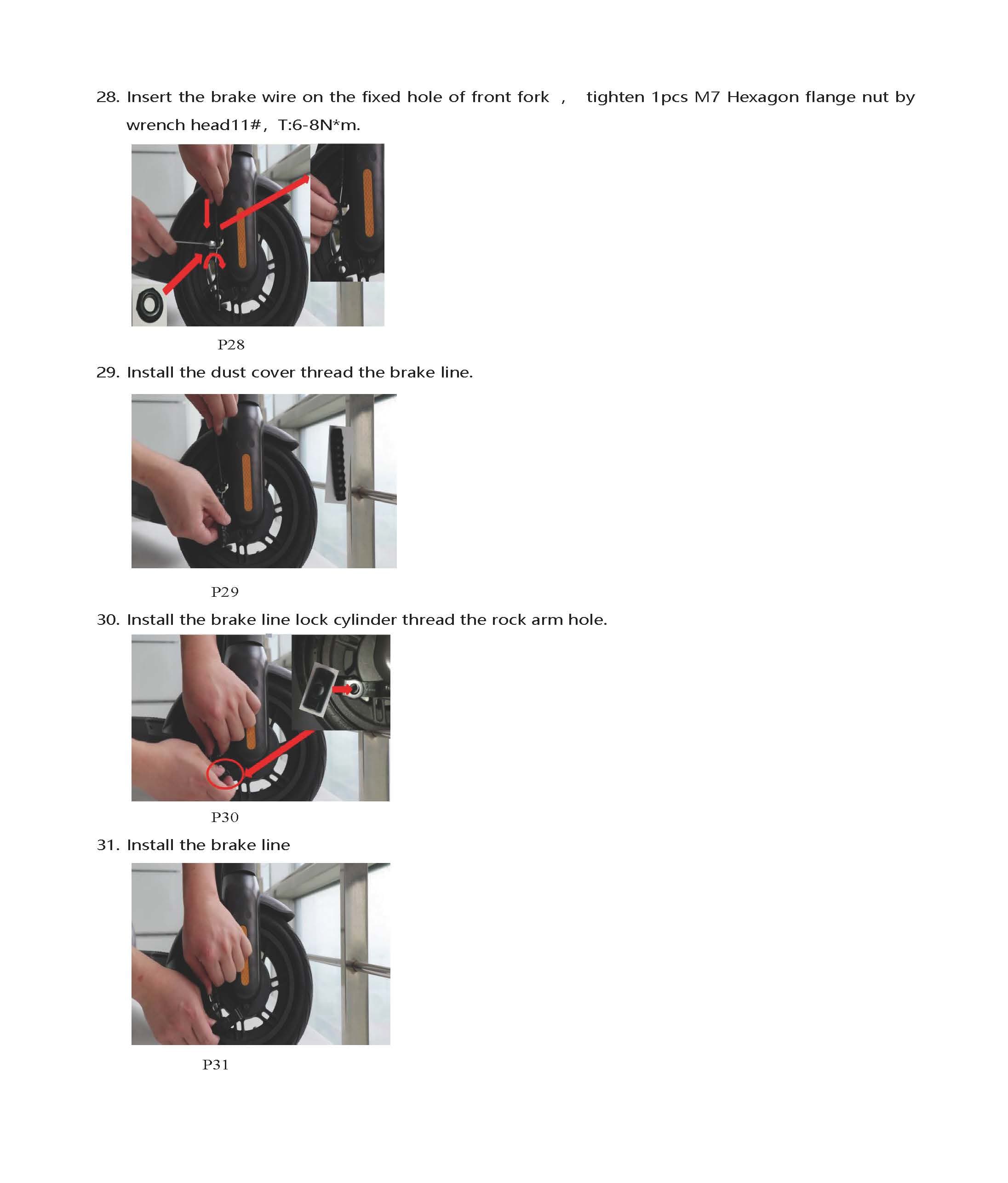
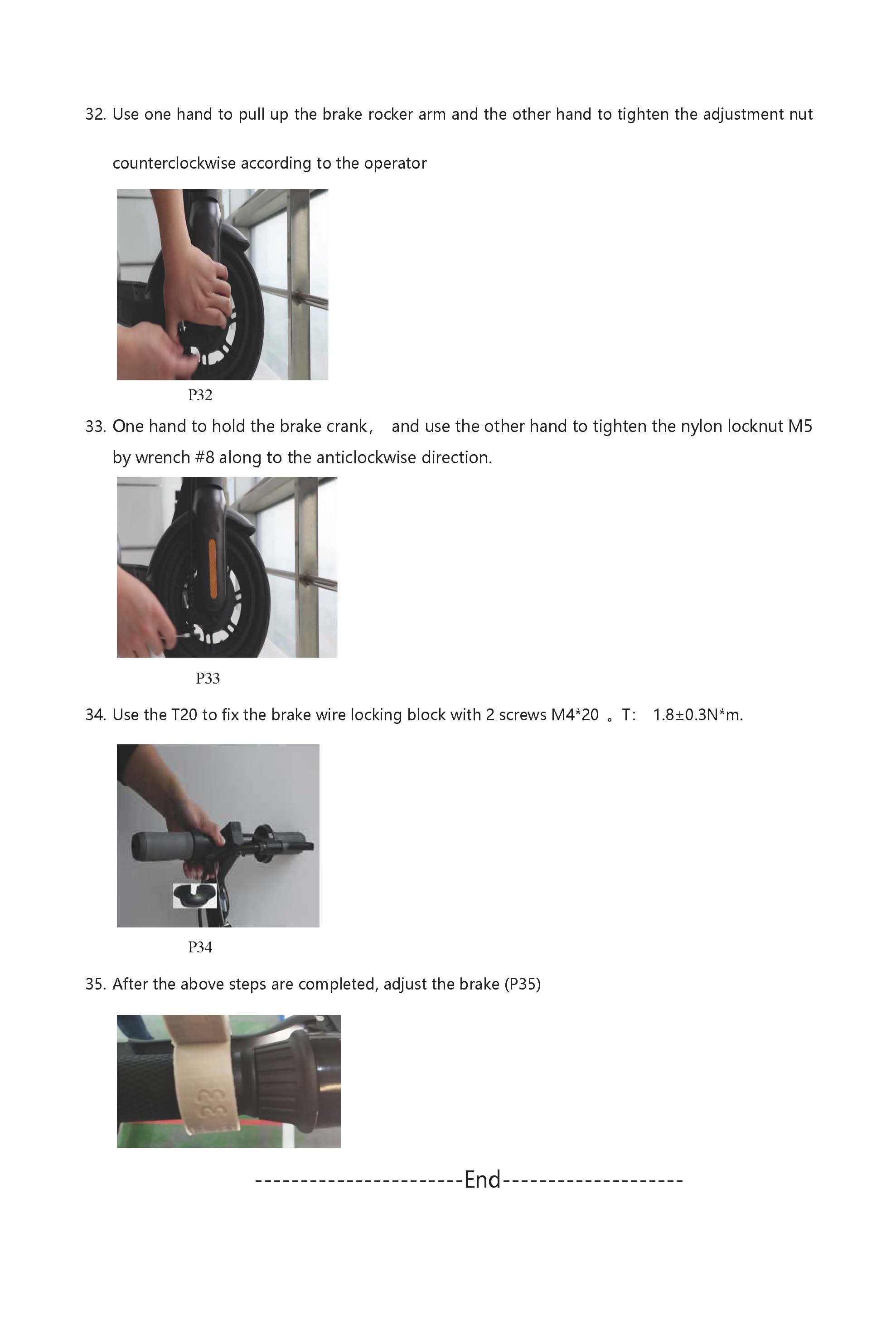
The following images show the complete replacement procedure:
After Replacement
After installing the new display panel:
- Reconnect all wiring harnesses
- Power on the scooter and verify the display shows correctly
- Test all display modes (speed, battery, error code display)
- Update firmware if needed via the Dashboard OTA feature